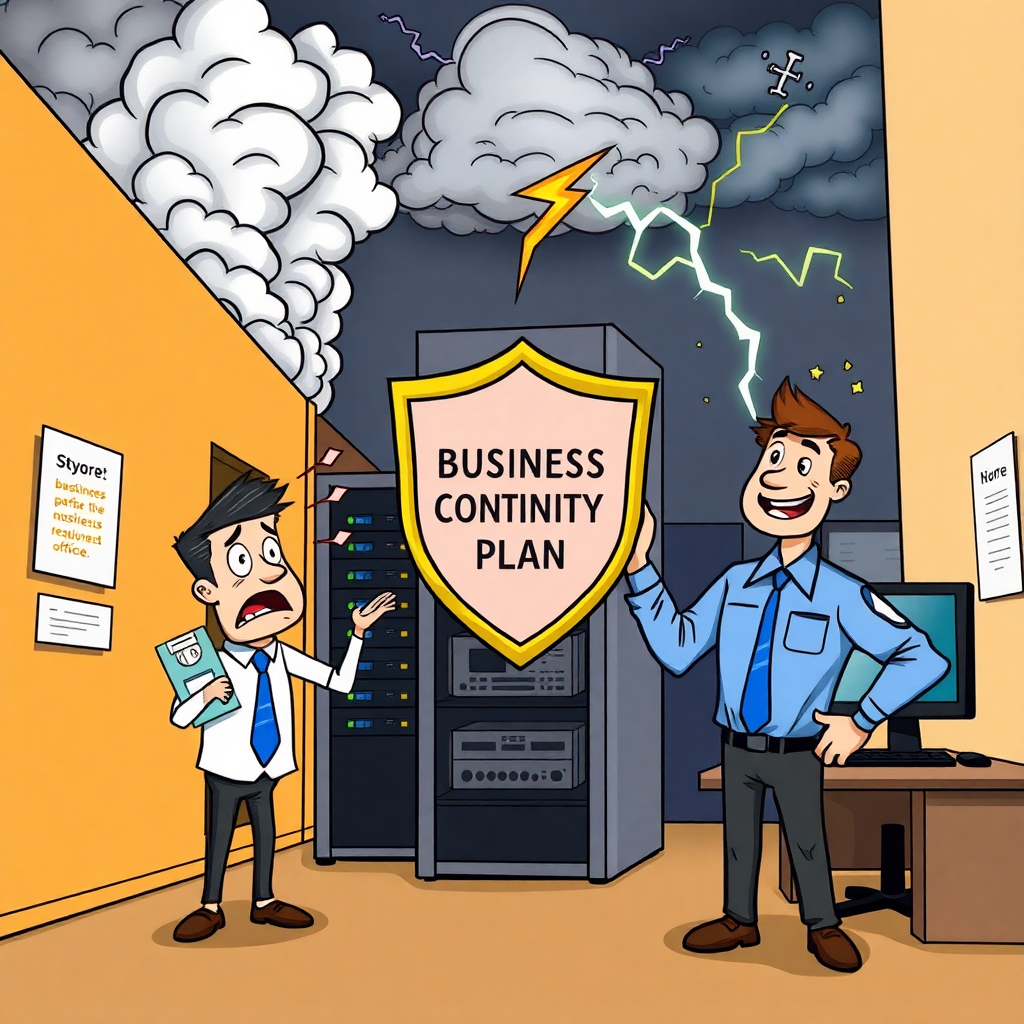
BUSINESS INTERRUPTED: IS YOUR COMPANY PREPARED FOR THE DISASTER YOUR IT PROVIDER SHOULD BE PLANNING FOR?

BUSINESS INTERRUPTED: IS YOUR COMPANY PREPARED FOR THE DISASTER YOUR IT PROVIDER SHOULD BE PLANNING FOR?

When disaster strikes, it rarely sends a warning text. Power outages, sophisticated cyberattacks, critical hardware failures, and devastating natural disasters can hit your business WITHOUT NOTICE, leaving small and medium businesses particularly vulnerable. Many business owners believe their backup system provides adequate protection ¡V but we’re here to tell you the hard truth: simply having backups is NOT the same as staying operational.
If your team suddenly can’t access critical systems, support remote operations, or maintain communication with clients, even a brief disruption can quickly escalate into a financial nightmare. We understand that change can be daunting, but a RELIABLE IT PARTNER should prepare you for these moments ¡V not just with basic backups, but with a COMPREHENSIVE BUSINESS CONTINUITY PLAN that keeps your operations running smoothly regardless of what challenges arise.
## Backups Are Essential ¡V But Business CONTINUITY Is Critical
Let’s be crystal clear: while backups are absolutely necessary, they’re merely one piece of a much larger puzzle. What your business truly needs is a robust business continuity strategy ¡V a proactive approach ensuring you can maintain operations during and after significant disruptions.
When critical systems fail, important files become inaccessible, or your physical office is compromised, that backup file sitting on a local server provides little comfort. Without a clearly defined plan to restore operations QUICKLY and EFFICIENTLY, you risk substantial losses in revenue, client trust, and regulatory compliance.
## The Critical Difference: Backup vs. Business Continuity
Here’s where we see many Northeast Ohio businesses making a critical mistake:
¡´      Backups simply help you restore lost data.
¡´      Continuity enables your business to THRIVE, no matter what catastrophe occurs.
A truly effective continuity plan addresses essential questions including:
¡´      How rapidly can we recover critical systems? (Measured in minutes, not days)
¡´      Where will our team work if our primary location becomes inaccessible?
¡´      Which systems are absolutely mission-critical for day-to-day operations?
¡´      Who bears responsibility for activating and managing the recovery process?
Our COMPREHENSIVE CONTINUITY SOLUTIONS include these essential components:
¡´      Enterprise-grade encrypted, off-site and immutable backups
¡´      Clearly defined recovery time objectives (RTO) and recovery point objectives (RPO)
¡´      Complete remote work preparedness for your entire team
¡´      Redundant systems and automatic failover protection
¡´      Regular disaster simulation testing to GUARANTEE recovery capabilities
If your current IT provider cannot confidently walk you through each of these critical points, you’re not protected ¡V you’re simply hoping disaster doesn’t find you. And hope is NOT a strategy when your business is on the line.
## Real Disasters, Real Businesses, Real Consequences
This isn’t theoretical fear-mongering to push you toward implementing a business continuity plan. These are REAL disasters with DEVASTATING consequences that we’ve witnessed firsthand:
¡´      Recent Florida hurricanes displaced hundreds of small businesses, leaving those without cloud-based systems completely paralyzed for weeks.
¡´      Catastrophic North Carolina flooding destroyed on-premise servers, permanently erasing months of critical records, client information, and outstanding invoices.
¡´      California wildfires decimated entire office complexes in the Pacific Palisades, with many businesses lacking adequate off-site recovery solutions.
¡´      Countless small and medium businesses targeted by sophisticated ransomware attacks discovered too late that their backups were corrupted, inadequate, or never properly tested.
Trust us when we say: disasters don’t discriminate based on company size ¡V they impact businesses EXACTLY LIKE YOURS every single day.
## 5 CRITICAL QUESTIONS You Should Be Asking Your IT Provider TODAY
If disaster strikes your business tomorrow, will you be able to continue serving your clients without interruption?
We encourage you to ask your current IT provider these essential questions:
¡´      If ransomware encrypts our systems, how quickly can we recover our operations? (Measured in specific hours)
¡´      Are our backups tested regularly through actual recovery simulations, and what specific systems are included in our protection plan?
¡´      What is our detailed contingency plan if a flood, fire, or other physical disaster renders our primary location unusable?
¡´      Does our current continuity strategy maintain compliance with industry-specific regulations?
¡´      Can we seamlessly continue serving clients if our entire team must suddenly work remotely?
If you’re not 100% confident in EVERY ANSWER you receive, your business is already at significant risk.
## Disasters Are Inevitable. Downtime Is Optional.
While you can’t prevent every power outage, natural disaster, or sophisticated cyberattack, you CAN control how your business responds when crisis strikes.
A good IT provider helps you recover after disaster strikes. A GREAT IT PARTNER ensures your business NEVER SKIPS A BEAT.
Rest easy knowing that we genuinely care about your success and business continuity. Our experienced technicians will handle the assessment, implementation, and ongoing testing of your comprehensive business continuity solution.
## TAKE ACTION NOW: Protect Your Business Before Disaster Strikes
Want to discover exactly where your business stands?
We’ll analyze your systems, identify vulnerabilities in your current protection strategy, and recommend tailored solutions to ensure your business remains operational ¡V no matter what challenges arise.
Phone Calls Are Answered Live In 60 Seconds Or Less! We’ll be by your side, ensuring your business can weather any storm.


PHONE TRACKING SOFTWARE: THE HIDDEN THREAT TO YOUR BUSINESS SECURITY IN 2025

PHONE TRACKING SOFTWARE: THE HIDDEN THREAT TO YOUR BUSINESS SECURITY IN 2025


The Escalating Mobile Security Crisis
In today’s hyperconnected business environment, your smartphone isn’t just a communication device—it’s a portable repository of sensitive corporate data. What many business leaders fail to recognize is that phone tracking is no longer limited to sophisticated nation-state actors or specialized security agencies. In 2025, phone tracking software has become alarmingly accessible, creating unprecedented security vulnerabilities for organizations of all sizes.
Our security research indicates that cybercrime costs are projected to hit $10.5 trillion annually, growing at 15% year-over-year. With network malware increasing by 171% and unique endpoint threats up by 712%, your mobile devices represent a critical attack vector that cannot be ignored.
How Phone Tracking Software Works in 2025
Modern phone tracking software operates with remarkable sophistication, often leaving no visible trace of its presence. As a cybersecurity specialist, I’ve observed several prevalent tracking methodologies:
  • Spyware Applications: These covert programs can be remotely installed to monitor calls, messages, and application usage. Advanced variants can activate microphone and camera functions without triggering notification indicators.
  • Phishing Deployment: Sophisticated phishing campaigns deliver tracking payloads through seemingly legitimate links. A single click can silently install monitoring software with extensive permissions.
  • Location API Exploitation: Applications with excessive location permissions or dormant social platform connections may continuously broadcast positional data through background processes.
  • Stalkerware Implementations: This specialized category of spyware is engineered to operate with minimal system footprint, often disguised as system utilities or productivity tools.
The technical barrier to deploying these tools has decreased significantly. Many phone trackers are now commercially available under the guise of “employee monitoring” or “family safety” solutions, requiring minimal technical expertise to implement.
Why Businesses Track Employee Cell Phone Location
While legitimate use cases exist for company phone tracking, the security implications extend far beyond simple location monitoring. For business leaders, understanding these risks is critical:
Your mobile device likely contains:
  • Authentication credentials for critical systems
  • Confidential client communications
  • Proprietary intellectual property
  • Financial transaction capabilities
  • Employee and customer personally identifiable information (PII)
The financial impact is substantial—the global average cost of a data breach has reached $4.76 million, with U.S. businesses facing average costs of $9.5 million per incident. Recent cases highlight this vulnerability, with major breaches affecting Qantas (6 million users), Verizon (60 million users), and Samsung Galaxy (800 million users) in 2025 alone.
How to Detect Phone Tracking on Your Device
While sophisticated phone tracking software is designed for stealth, certain technical indicators may signal compromise:
  • Power Consumption Anomalies: Tracking software typically operates continuously, causing battery depletion inconsistent with normal usage patterns.
  • Data Transmission Spikes: Background data transmission may indicate exfiltration of monitoring information.
  • Thermal Signatures: Elevated device temperature during idle periods often indicates unauthorized background processes.
  • UI Irregularities: Unexpected application presence, system icons, or permission changes.
  • Audio Artifacts: Background noise or echo during calls may indicate active monitoring.
  • System Performance Degradation: Frequent application crashes or unresponsive interfaces can result from resource contention with monitoring software.
These indicators aren’t definitive in isolation but warrant investigation when observed in combination.
Implementing Advanced Mobile Security Protocols
If you suspect device compromise, implement these technical countermeasures:
  1. Execute Security Scanning: Deploy enterprise-grade mobile threat detection (MTD) solutions to identify and remediate malicious code. These tools provide continuous monitoring capabilities and can detect sophisticated tracking implementations.
  2. Audit Application Permissions: Conduct a comprehensive review of application permission structures. Revoke unnecessary access to location services, microphone, camera, and storage—particularly for infrequently used applications.
  3. Implement OS Security Updates: Maintain current security patches to address known vulnerabilities. Tracking software frequently exploits unpatched system components.
  4. Consider Factory Reset Protocol: For confirmed compromise, execute a complete device reset after backing up essential data. This eliminates persistent threats that may resist conventional removal methods.
  5. Deploy Multi-Factor Authentication: Implement biometric verification and multi-factor authentication for all business-critical applications to create additional security layers.
Protecting Your Business From Mobile Threats
As a business leader, your mobile device functions as a command center for operations, a repository for customer data, and potentially a gateway to your entire network infrastructure. The security of these devices is non-negotiable in today’s threat landscape.
Cybercriminals are increasingly targeting mobile devices precisely because they often bypass traditional security perimeters. A compromised smartphone can provide direct access to corporate resources without triggering conventional security alerts.
Take Action Now: Secure Your Mobile Infrastructure
If you’re concerned about the security of your organization’s mobile devices, start with our FREE Network Risk Assessment. Our cybersecurity specialists will:
  • Identify hidden vulnerabilities in your mobile infrastructure
  • Assess your current security posture against advanced threats
  • Develop a customized mobile security framework
  • Recommend specific technical controls to mitigate identified risks
Don’t wait until after a breach to address these critical vulnerabilities. Contact our security team today to schedule your comprehensive assessment and protect your business from increasingly sophisticated mobile threats.

Business Compliance Alert: The Hidden Risks Costing Small Businesses Thousands in 2025

Business Compliance Alert: The Hidden Risks Costing Small Businesses Thousands in 2025


image
The Dangerous Misconception That Could Bankrupt Your Business
Many small business owners believe regulatory compliance is only a concern for large corporations with dedicated legal teams. In 2025, this misconception isn’t just wrong—it’s potentially devastating to your bottom line. With 40% of small businesses now spending more time on compliance activities compared to previous years, the regulatory landscape has shifted dramatically.
We understand that running a small business means wearing multiple hats. You’re focused on growth, customer service, and daily operations—not poring over complex regulatory documents. But here’s the reality: COMPLIANCE MATTERS NOW MORE THAN EVER.
Why Small Business Compliance Has Become a Critical Priority
Regulatory bodies have intensified their focus on businesses of all sizes. The Department of Health and Human Services (HHS), Payment Card Industry Security Standards Council (PCI SSC), and Federal Trade Commission (FTC) are actively enforcing regulations with increasingly severe penalties.
Small business compliance requirements have tightened significantly in recent years. This isn’t just about checking boxes—it’s about protecting your business from potentially catastrophic financial and reputational damage.
Consider this: A single compliance violation can result in:
  • Financial penalties reaching hundreds of thousands of dollars
  • Permanent damage to customer trust
  • Significant business disruption
  • Personal liability for business owners
As one business owner told us after facing penalties: “I thought compliance was something only big companies needed to worry about. That misconception cost me $250,000 and nearly destroyed my business.”
Key Regulations Every Small Business Owner Must Understand
HIPAA: Not Just for Healthcare Providers
HIPAA compliance for small business has expanded beyond traditional healthcare settings. If your business handles ANY protected health information (PHI)—even employee health records—you’re subject to these regulations.
Recent HIPAA updates now require:
  • Mandatory encryption of all electronic PHI
  • Quarterly vulnerability assessments to identify potential security gaps
  • Comprehensive employee training on data privacy protocols
  • 15-day breach notification window—reduced from the previous 30 days
  • Enhanced vendor oversight requirements taking effect in Q3 2025
The cost of ignoring these requirements? In 2025, the HHS imposed a $1.5 million penalty on a small healthcare provider for inadequate data protection measures. Even more alarming, criminal fines for serious violations can reach $250,000 per individual responsible.
PCI DSS: Processing Payments Means Processing Compliance
Any business that processes credit card payments must adhere to PCI DSS requirements. The compliance in business landscape has become increasingly complex, especially for small companies with limited resources.
Your business must implement:
  • Secure storage systems for cardholder data
  • Regular network monitoring and vulnerability testing
  • Robust firewalls and encryption protocols
  • Strict access control measures to restrict data access
Noncompliance penalties range from $5,000 to $100,000 PER MONTH, depending on violation severity and duration. For a small business, these fines can quickly become existential threats.
FTC Safeguards Rule: The Regulation Many Businesses Miss
The FTC Safeguards Rule affects any business collecting consumer financial information—which includes most small businesses. Understanding which regulations for small businesses apply to your company can seem daunting but is essential for success.
The rule requires:
  • Development of a written information security plan
  • Designation of a qualified individual to oversee security measures
  • Regular risk assessments with documented results
  • Implementation of multi-factor authentication (MFA)
Violations can result in penalties up to $100,000 per incident for businesses and $10,000 for responsible individuals. The FTC has publicly stated its intention to increase enforcement actions against small businesses in 2025.
Real-World Consequences: This Could Happen to Your Business
This isn’t theoretical. Consider the case of a small medical practice in Northeast Ohio that suffered a ransomware attack due to outdated security protocols. The practice faced:
  • A $250,000 fine from HHS
  • Loss of patient trust leading to a 40% drop in clientele
  • $75,000 in emergency IT remediation costs
  • Six months of business disruption
The owner’s response? “We thought we were too small to be targeted. That mistake nearly cost us everything.”
Another example: A local retail business processing credit card payments failed a PCI compliance audit. The resulting fines and mandatory security upgrades cost over $120,000—more than their entire annual profit.
Effective business compliance strategies can save your company from costly penalties and reputational damage. The investment in proper compliance measures is minimal compared to the potential costs of violations.
Your 5-Step Action Plan for Business Compliance Success
Meeting all compliance requirements for small business operations has become more complex in the digital age. Here’s how to protect your business:
1. Conduct Comprehensive Risk Assessments
Regularly evaluate your systems and processes to identify vulnerabilities before they become liabilities. Document these assessments as proof of your compliance efforts.
2. Implement Robust Security Measures
Deploy encryption, firewalls, and multi-factor authentication to protect sensitive data. Remember: 67% of small businesses now seek external compliance assistance to ensure proper implementation.
3. Train Your Team
Your employees are your first line of defense. Ensure they understand compliance requirements and security best practices. Regular training sessions should be documented as part of your compliance program.
4. Develop an Incident Response Plan
Prepare for potential breaches with a clear, documented action plan. The compliance requirements for small business owners vary by industry but share common data protection principles.
5. Partner With Compliance Experts
Navigating small business compliance doesn’t have to be overwhelming with the right guidance and tools. Work with professionals who understand the specific regulations affecting your industry.
Don’t Wait Until It’s Too Late
The landscape of legal compliance is constantly evolving, requiring ongoing attention and updates. Compliance isn’t just a legal obligation—it’s a critical component of your business’s integrity and longevity.
Small businesses that prioritize legal compliance gain a competitive advantage through enhanced trust and reputation. Your customers want to know their data is safe with you. Your business partners need assurance you won’t expose them to liability.
Ready to Protect Your Business?
We understand that change can be daunting, so we’ll take the time to understand your unique needs. Our commitment to your success doesn’t end after implementation.
We offer a FREE Network Assessment to help you identify potential vulnerabilities and ensure your business meets all regulatory requirements. Don’t let a compliance blind spot jeopardize your success.

Rest easy knowing that we genuinely care about your success. Trust our local Northeast Ohio technology support team for rapid solutions to every compliance challenge.

The Hidden Cost of Cheap IT Services: What Business Owners Need to Know in 2025

The Hidden Cost of Cheap IT Services: What Business Owners Need to Know in 2025

You know the saying: You get what you pay for. And nowhere is that more obvious than in IT services.
On the surface, a cheaper managed IT services agreement might seem like a win: lower monthly costs, basic support, maybe even some cybersecurity tools thrown in. But dig a little deeper, and you’ll often find hidden costs, sneaky exclusions, and weak coverage that ends up costing you far more in the long run.
In fact, after years of reviewing IT contracts for small businesses, we’ve seen the same problems crop up again and again. Below are five of the most common ways “budget” MSPs cut corners – and how those corners turn into costly headaches for business owners.
The Hidden Cost of Cheap IT Services: 5 Ways Budget IT Support Costs You More
1. Weak (Or Nonexistent) Cybersecurity Protections
Basic antivirus is NOT cybersecurity.
Yet that’s what most low-cost IT providers install – and then call it a day. No two-factor authentication, no advanced endpoint detection, no employee training, and no backup defense if something slips through.
Why does that matter? Cyber insurance carriers now require advanced cybersecurity measures before they’ll even offer you a policy, and if those aren’t in place, your claim could be denied after an attack.
The hidden cost of cheap IT services often exceeds the initial savings many times over. According to recent data, the average cybersecurity costs for small business recovery after a breach exceed $120,000. Even more alarming, the average data breach cost for small business can reach up to $3.31 million when considering all impacts.
We’ve seen businesses suffer tens of thousands in damages because their MSP never set up the protections their insurance required. That’s not IT support. That’s IT negligence.
2. Backups That Leave Out Half Your Business
Most business owners assume tools like Microsoft 365 or Google Workspace are backing up their data.
They’re not. These tools have a BASIC-level backup system but are not comprehensive solutions for disaster recovery or long-term data retention.
Cheaper or inexperienced IT providers often skip backups for cloud apps, CRMs, and third-party platforms, which can leave critical data unprotected. Worse, many don’t offer immutable backups, which are now a requirement for many cyber insurance policies.
Business owners frequently underestimate the hidden cost of cheap IT services until they experience a major outage. The statistics are sobering: 75% of SMBs cannot continue operations after a ransomware attack, and for those experiencing extended data loss, the bankruptcy rate reaches a staggering 93%.
Think your backups are covered? Ask your current provider what they’re backing up – and what they’re not.
3. “Surprise!” Fees For On-Site Or After-Hours Support
Here’s a common trick: quote a low monthly rate, then charge extra every time you need support outside of normal business hours…or when someone needs to show up in person.
We believe in flat, predictable pricing. But many providers carve out on-site visits, after-hours help, and even emergencies so they can tack on fees later.
When comparing managed IT support pricing, look beyond the monthly cost to what’s actually included. The cheap IT services risks include these hidden fees that can quickly add up:
  • After-hours emergency support: $175-350 per hour
  • On-site technician visits: $140-195 per hour
  • Weekend or holiday assistance: Often double the standard rate
The result? You’re constantly second-guessing whether you should pick up the phone, and your team delays calling support, which costs even more in downtime.
4. No Help With Vendors Or Third-Party Devices
Got an issue with your phones, Internet, or security cameras? Some IT companies will happily say, “That’s not our problem.”
They’ll even charge hourly just to talk to your other vendors. And if your printer is connected to your network but not part of their “approved” hardware list, they might refuse to help at all.
IT vendor management is another hidden cost of budget providers. When evaluating managed IT services pricing, ensure it includes full vendor liaison and network support for everything that touches your business technology, because problems don’t always come from one place.
5. Inexperienced Techs And No One Managing Your Account
One of the biggest red flags? A “one-man show” or a company that hires entry-level techs on 1099s, with no proper strategy behind the support.
With budget MSPs, you might get help, but you don’t get guidance.
What you should be getting is:
  • A dedicated account manager who helps you build a technology road map
  • Proactive reviews of your cybersecurity, compliance, and backup health
  • Budget forecasting and upgrade planning
  • A trusted advisor, not a tech support ticket system
Understanding Managed IT Services Pricing and Its Long-Term Value
Managed services pricing typically follows either a per-user or per-device model. Understanding the factors that influence managed services pricing helps businesses budget appropriately.
Per-User Pricing Model
Most comprehensive managed IT services pricing falls between $100-250 per user per month. This model is straightforward and scales with your business. As you add employees, your IT support scales accordingly.
For a small business with up to 20 employees, expect to spend $2,000 to $3,000 per month on fully managed IT services; a medium business with 50 employees will spend $5,000 to $7,000 per month.
Per-Device Pricing Model
Some providers charge based on the devices they manage:
  • Servers: $100-400 per month
  • Workstations: $50-125 per month
  • Firewalls: $30-75 per month
  • Network switches: $15-40 per month
How Managed IT Support Pricing Compares to Break-Fix Models
The most cost-effective managed IT support pricing offers predictable expenses without hidden fees. When comparing to break-fix models (where you only pay when something breaks), consider these factors:
  1. Predictable Budgeting: Managed services provide fixed monthly costs versus unpredictable emergency expenses.
  2. Proactive vs. Reactive: Break-fix models address problems after they occur, while managed services prevent issues before they impact your business.
  3. Total Cost Comparison: The true IT downtime expenses include not just lost revenue but also damaged reputation and customer trust. Studies show downtime costs average $1,410 per minute for small businesses.
IT Downtime Expenses That Cheap Providers Don’t Tell You About
Budget IT providers rarely discuss the IT downtime expenses their limited support can cause. The financial impact of IT downtime is severe:
Impact Area
Cost/Effect
Details
Immediate Revenue Loss
$1,410/minute
Direct transaction losses
Average SMB Attack Cost
$254,445
Total impact including recovery
Maximum Incident Cost
Up to $7 million
Severe cases
Data Loss Impact
93% bankruptcy rate
For extended data loss
Cybersecurity Costs for Small Business: Prevention vs. Recovery
Cybersecurity costs for small business should be viewed as insurance rather than an optional expense. The math is simple:
  • Prevention: Comprehensive managed IT services with proper security: $100-250 per user per month
  • Recovery: Average cost after a breach: $120,000+
Even more concerning, 60% of small businesses close within six months of a cyber-attack. The investment in proper security measures is minimal compared to the potential losses.
Managed Service Provider Benefits That Offset Higher Initial Costs
The managed service provider benefits include proactive maintenance, strategic planning, and comprehensive security. Key advantages that justify the investment include:
  1. Reduced Downtime: Proactive monitoring catches issues before they cause outages.
  2. Comprehensive Security: Enterprise-grade protection scaled for small business needs.
  3. Strategic Planning: Technology roadmaps aligned with business goals.
  4. Vendor Management: Single point of contact for all technology issues.
  5. Predictable Budgeting: Fixed monthly costs without surprise fees.
  6. Business Continuity: Robust backup and disaster recovery solutions.
  7. Compliance Support: Help meeting regulatory requirements.
  8. Access to Expertise: Enterprise-level IT knowledge without the enterprise price tag.
Data Breach Cost for Small Business: The Financial Reality
Many small businesses fail to survive the data breach cost for small business attacks. The financial impact extends far beyond the immediate recovery expenses:
  • Average breach recovery cost: $3.31 million
  • Typical incident range: $826-$653,587
  • Ransomware recovery: 10x the ransom amount
Even more concerning, only 17% of small businesses have cyber insurance coverage, leaving most vulnerable to these devastating costs.
Bottom Line: If It Looks Too Good To Be True…It Is.
The truth is, most small businesses don’t realize they’re under protected until something breaks – a ransomware attack, a server crash, a massive compliance fine.
By then, it’s too late.
Understanding the hidden cost of cheap IT services is essential for making informed technology decisions. If you want IT that actually protects your business, you need to look beyond the monthly price tag. Ask the hard questions. Get the real answers. And don’t let yourself get stuck in a contract that leaves you exposed.
Take the Next Step: Free IT Risk Assessment
If you want to know what your IT contract is missing, let us take a look at your network. We’ll review your current IT solutions for free, walk you through what’s missing (if anything), and give you an honest, jargon-free opinion on how to close the gaps.
[]
Don’t wait until a disaster strikes to discover the true cost of cheap IT. Invest in proper protection today.


The Hidden Costs of Delaying Your Windows 11 Upgrade

The Hidden Costs of Delaying Your Windows 11 Upgrade

Is your Northeast Ohio business still running Windows 10? We understand why you might be hesitant to make the change. After all, business leaders should be free to focus on strategic decisions, not IT troubleshooting.
But here’s the reality you need to know: October 14, 2025 isn’t just another date on the calendar. It’s the day Microsoft pulls the plug on Windows 10 support – leaving your business vulnerable in ways that could cost you dearly.
Why “We’ll Deal With It Later” Is The Most EXPENSIVE Strategy For Your Business
We’ve seen it time and again – delaying necessary upgrades feels like saving money today, but it’s actually setting your business up for significant costs tomorrow. Trust us when we say: procrastination comes with a price tag your business can’t afford.
1. You’re Operating Without A Safety Net
Once Microsoft discontinues Windows 10 updates, every new vulnerability becomes YOUR responsibility.
Hackers don’t just target large corporations – they’re actively seeking small businesses with outdated systems because they’re EASY targets. It’s like locking your front door but leaving all your windows wide open.
Rest easy knowing that we genuinely care about your security. We’ll analyze your systems, identify vulnerabilities, and implement robust protections BEFORE you become a target.
2. Your Critical Business Tools Are Already Moving On
How would your team handle it if your accounting software crashed during month-end closing? Or if your CRM stopped functioning during an important client call?
Many business applications are already phasing out Windows 10 support:
  • Your accounting tools
  • Your customer management systems
  • Your industry-specific platforms
We understand that compatibility issues can be daunting. That’s why we’ll take the time to understand your unique software needs and ensure everything works seamlessly after upgrading.
3. Your Team’s Productivity Is Silently Draining Away
Have you noticed your team waiting longer for systems to boot up? Or perhaps dealing with more frequent crashes?
Every minute your employees spend fighting with outdated technology is a minute they’re NOT spending on growing your business. Even small delays add up to SUBSTANTIAL costs over time:
  • 15 minutes of daily technology frustration
  • Across a team of 10 employees
  • Equals 12.5 HOURS of lost productivity weekly
Focus on your growing business while we manage your technology. Our experienced technicians will handle the deployment, configuration, and optimization of your new technology solutions.
4. Emergency Upgrades ALWAYS Cost More
When business owners wait until the last minute, they face:
  • LIMITED hardware availability as thousands rush to upgrade
  • PREMIUM pricing for expedited IT support
  • UNPLANNED downtime during critical business operations
  • DATA MIGRATION headaches under pressure
Phone calls are answered live in 60 seconds or less! When you partner with us, you’ll never face these emergency scenarios alone.
5. Compliance Requirements Don’t Care About Your Timeline
Are you handling sensitive client data? Processing payments? Working with healthcare information?
Regulatory frameworks like HIPAA, PCI-DSS, and industry-specific regulations REQUIRE up-to-date security measures. Running unsupported systems could result in:
  • Substantial financial penalties
  • Legal liability exposure
  • Damaged client relationships
  • Lost business opportunities
We’ll be by your side, ensuring a seamless transition that keeps you compliant and protected.
OUR PLAN: 4 Steps To A Smooth Windows Transition
How can we serve you today? Our proven process ensures your business experiences minimal disruption while maximizing the benefits of your technology investment:
1. Onboarding
We’ll conduct a comprehensive assessment of your current systems, identifying which machines can be upgraded and which need replacement.
2. Go Live
Our team will create a strategic implementation timeline that fits YOUR business schedule and budget constraints.
3. Technology Business Review
We’ll verify all your critical applications are compatible and functioning properly in the new environment BEFORE making any changes.
4. Ongoing Support
Our commitment to your success doesn’t end after implementation. We’ll provide training and support to ensure your team leverages all the productivity-enhancing features Windows 11 offers.

Enable Your Business To Thrive
During your no-obligation assessment, we’ll provide:
  • A comprehensive inventory of your current technology
  • Clear recommendations for upgrades vs. replacements
  • A customized timeline that minimizes business disruption