It’s February. Tax season is ramping up. Your accountant is getting busier. Your bookkeeper is pulling documents. Everyone’s thinking about W-2s, 1099s and deadlines.
Here’s the part nobody puts on the calendar: the first real tax-season headache usually isn’t a form. It’s a scam.
And there’s one that shows up before April even gets close because it’s easy, believable and aimed straight at small businesses. You might already have it sitting in someone’s inbox.
The W-2 Scam: How It Works
Here’s the setup:
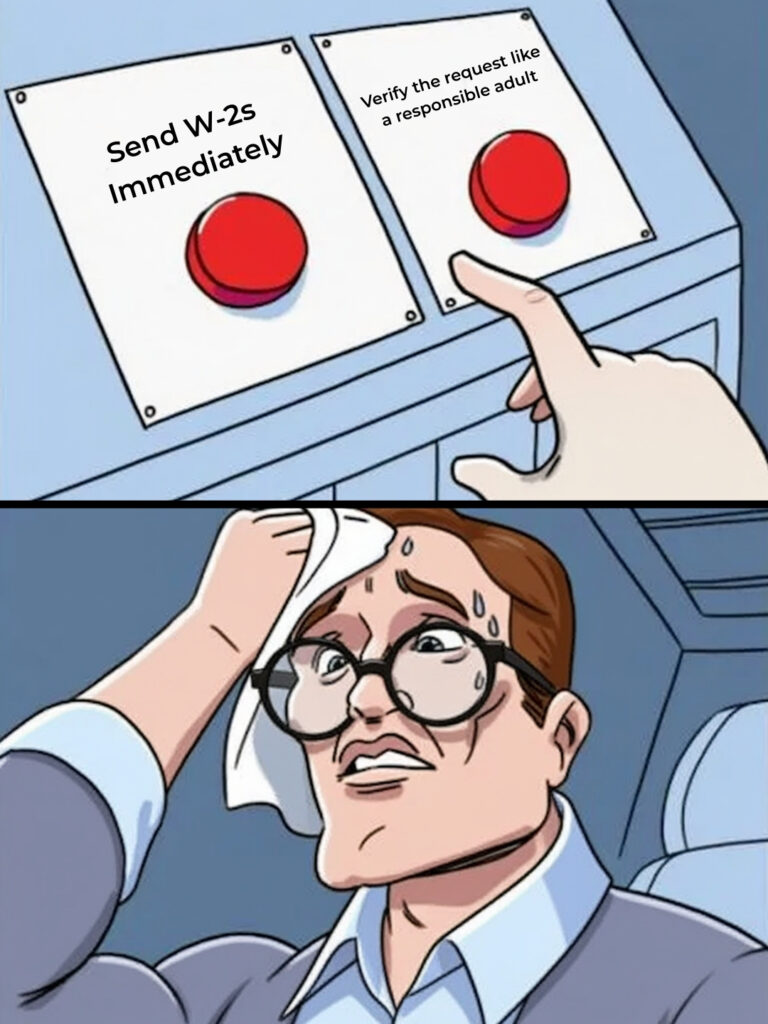
Someone in your company (usually whoever handles payroll or HR) gets an email that looks like it’s from the CEO, owner or a senior exec.
The message is short and urgent:
“Hey, I need copies of all employee W-2s for a meeting with the accountant. Can you send them over ASAP? I’m slammed today.”
It looks normal. The tone sounds right. Tax season is busy, so the urgency feels natural. The request seems reasonable.
So, your employee sends the W-2s.
Except the email wasn’t from the CEO. It was from a criminal using a spoofed address or a look-alike domain.
And now that criminal has every employee’s:
• Full legal name • Social Security number • Home address • Salary information
Everything needed for identity theft. Everything needed to file fraudulent tax returns before your employees do.
What Happens Next
Here’s how victims usually find out:
Your employee files their tax return. It gets rejected: “Return already filed for this Social Security number.”
Someone already filed in their name. They already claimed their refund. Already got the money.
Now your employee is dealing with the IRS, credit monitoring, identity theft protection and months of paperwork because of a document they didn’t even know they sent.
Multiply that by your entire payroll. Now imagine explaining to your team that their personal information was compromised because someone fell for a fake email.
That’s not just a security problem. That’s a trust problem. An HR nightmare. A potential lawsuit. A reputation hit.
Why This Scam Works So Well
This isn’t a Nigerian prince email. It doesn’t look fake at first glance.
It works because:
The timing is perfect. W-2 requests are expected in February. Nobody questions why someone would ask for them now.
The request is reasonable. It’s not “wire $50,000” or “buy gift cards.” It’s something that actually does get shared during tax season.
The urgency feels normal. “I’m slammed today, can you send this quick?” doesn’t raise red flags in a busy office.
The sender looks legitimate. Criminals research targets. They know the CEO’s name. Sometimes they know your accountant’s name. They make it look real because they did their homework.
Employees want to be helpful. Especially to the boss. Urgency overrides verification.
How to Protect Your Business (Before This Lands)
The good news: this scam is preventable. And it takes policy + culture more than fancy tech.
Make a “no W-2s via email” rule. Period. No exceptions. W-2s and other sensitive payroll documents do not leave your building through email attachments. If someone asks for them via email, the answer is “no,” even if it looks like the CEO.
Verify any sensitive request in a second channel. Phone call. In person. Chat. Anything other than replying to the email. Use a number you already have, not one in the message. It takes 30 seconds. Can save months of cleanup.
Do a 10-minute tax-scam huddle now. Not later. Not “when we get closer.” Tell your payroll/HR people: “These are about to spike. This is what they look like. This is what we do.” Awareness is cheap insurance.
Lock down payroll and HR systems. Multi-factor authentication (MFA) on anything that touches employee data. If someone’s credentials get phished, MFA is the last door they’ll slam into.
Make verification a culture, not a burden. The employee who calls to double-check a request from the CEO should be praised, not made to feel paranoid. When questioning is rewarded, scams have nowhere to hide.
That’s it. Five rules. Simple enough to implement this week. Strong enough to stop the first wave.
The Bigger Picture
The W-2 scam is just the opening act.
Between now and April, expect a flood of tax-themed attacks:
• Fake IRS notices demanding immediate payment • Phishing emails disguised as tax software updates • Spoofed messages from “your accountant” with malicious links • Fraudulent invoices timed to look like tax expenses
Criminals love tax season because everyone’s distracted, everyone’s moving fast and financial requests don’t seem unusual.
Businesses that get through tax season clean aren’t luckier. They’re prepared.
They have policies. They have training. They have systems that catch suspicious requests before they become disasters.
Is Your Business Ready?
If you’ve already got policies in place and your team knows what to look for, great. You’re ahead of most small businesses.
If not, now is the time. Not after the first scam hits.
If this sounds like your business, book a 10-minute discovery call with us and we’ll review:
Payroll/HR access and MFA
Your W-2 verification rules
Email protections that catch spoofing
The one policy tweak most businesses miss
If it doesn’t sound like you, awesome. But you probably know a business owner it does sound like. Forward them this article. It might save them a very expensive headache.
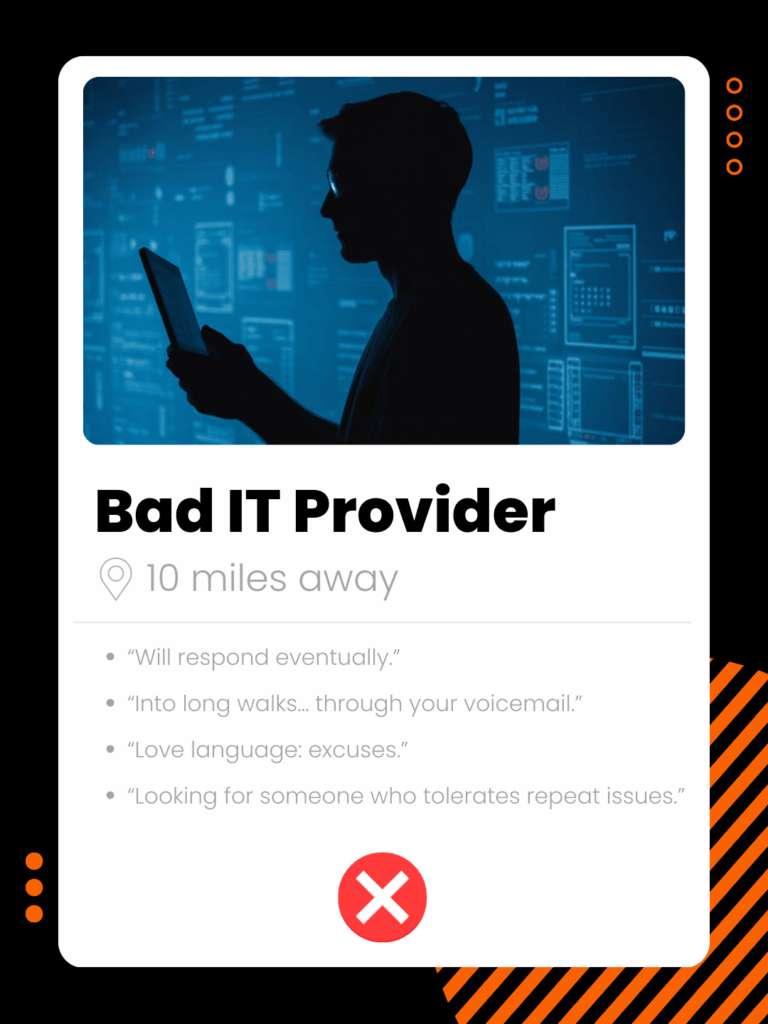
Ever Had an IT Relationship That Felt Like a Bad Date?
It’s February. Love is in the air. People are buying chocolate, making dinner reservations, pretending they like rom-coms again. So, let’s talk about relationships.
Have you ever had a tech relationship that felt like a bad date? The kind where you call for help and get silence. Or the “fix” works for a day and then the problem comes right back.
If you’ve ever lived through that, you know how exhausting it is. And if you haven’t, congrats. You’ve avoided a very common small-business headache.
Because a lot of business owners are still stuck in the IT version of a bad relationship:
They keep hoping it’ll get better.
They keep making excuses.
They keep saying “well, they’re cheap,” like that makes the drama worth it.
They keep calling … even though they don’t trust the provider anymore.
And like most bad dates, it didn’t start out this way.
The Honeymoon Phase
At first, the IT person was responsive. Helpful. Fast. They set things up, fixed a few issues and the business thought, “Great. This is handled.”
Then the business grew. The tech stack got messier. Threats got smarter. The team got busier. And the relationship changed.
The same problems started popping up again. Replies slowed down. You got that familiar line: “We’ll take a look when we can.”
So owners did what people do in every bad relationship: they adapted their business around someone else’s bad behavior.
That’s not partnership. That’s survival.
The Voicemail Black Hole
You call. You leave a message. Maybe you email. Then you wait. Hours. Sometimes days.
Meanwhile, your employee is stuck, your team can’t work, deadlines slip, customers get impatient. You’re paying employees who can’t do their jobs because IT “support” is missing in action.
That’s not support. That’s a bad date who says “I’m on my way” and then disappears.
Healthy tech relationships don’t leave you hanging. Problems get acknowledged fast, triaged fast and fixed fast. Better yet — many of them never happen because someone is watching your systems before they melt down.
The Arrogance
This one is the worst.
They finally show up, fix the problem and act like you should be grateful they squeezed you into their royal schedule.
You get the vibe of:
“You wouldn’t understand.”
“This is just how it is.”
“You should’ve called sooner.”
“Try not to do that again.”
It’s like dating someone who causes drama, then lectures you for having feelings about it.
A good IT partner doesn’t make you feel stupid for needing help. They make you feel relieved that you’ve got someone in your corner.
Because technology isn’t supposed to be a test of character. It’s supposed to be boringly reliable.
The Workaround Trap
This is where you know things are truly bad.
Because they’re hard to reach, your team stops calling. They start solving things themselves. They email files instead of using the system. They save stuff on desktops. They share passwords in text messages. They buy random tools just to get through the day.
Not because they want to break rules. Because they want to do their jobs without waiting two days for help.
You see it in little stuff at first: like the office where the Wi-Fi drops every afternoon at the same time, so everyone silently schedules meetings around the dead zone.
That’s not tech “working.” That’s your business learning to tiptoe around broken systems.
And workarounds create quiet disasters: security holes, compliance risks, duplicated tools, inconsistent processes, tribal knowledge that vanishes when someone quits.
Workarounds are what businesses build when they don’t trust their tech relationship anymore.
Why Tech Relationships Go Bad
Most small-business tech relationships fail for the same reason most real relationships fail: no one is maintaining the relationship.
Tech often runs on a reactive model: something breaks, you call, they patch it, everyone ignores it again, repeat. That’s like only talking to your spouse during fights. You’re technically communicating … but you’re not building anything stable.
Meanwhile, business keeps changing: more staff, more data, more apps, more customer expectations, more compliance pressure, more attacks aimed at companies exactly like yours.
So the IT relationship that worked with five people and one shared drive doesn’t survive with 15 people, remote, running cloud apps and being targeted by smarter criminals.
A good IT partner doesn’t just fix problems. They prevent problems. They monitor, patch and maintain quietly in the background so issues don’t sneak up on you during payroll, tax prep or your biggest client deadline of the quarter.
That’s the difference between firefighting (cheap, chaotic, exhausting) and fire prevention (predictable, stable, scalable). One feels like a bad date you keep rescuing. The other feels like a grown-up partnership.
What a Healthy Tech Relationship Feels Like
A good tech relationship isn’t exciting. It doesn’t create drama. It feels calm.
It looks like: your systems behave during deadlines, your team doesn’t dread updates, files live in one clear place, support responds fast and fixes it right, your tools fit how your industry actually runs, your data is secure and compliant, growth doesn’t break everything.
Here’s the real sign you’re in a good tech relationship: you stop thinking about IT most days. Because it just works. Not trendy. Not magical. Reliable.
The Big Question
If your IT provider was a person you were dating, would you keep seeing them? Or would your friends say, “Seriously? You’re still calling that guy?”
If you’ve normalized bad tech behavior, you’re paying twice: in dollars and in stress. And neither one is necessary.
If you’re already in a solid place with your tech, awesome. This is for the business owners who aren’t … and there are a lot of them.
Know Someone Stuck With “Bad Date” Tech?
If this sounds like your business, book a 10-minute discovery call and we’ll show you how to get rid of the tech relationship drama fast.
If it doesn’t sound like you, great. But odds are you know someone it does sound like. Forward this to them. We’ll help.
As organizations finalize their growth strategies for the new year, organized cybercrime syndicates are finalizing theirs. Their business model is simple: exploit the gaps left by busy Small and Midsize Businesses (SMBs).
This piece outlines the Top 4 Cybercriminal Objectives for 2026 and provides the definitive counter-strategy for effective SMB risk mitigation.
I. The Adversary’s Focus: Mastering Social Engineering and AI
Cybercriminals are shifting resources to target human vulnerability using sophisticated technology.
Objective 1: Achieve Zero-Detection Phishing with AI
The days of obvious scam emails are over. Criminals now utilize advanced Generative AI to craft hyper-realistic, contextualized messages that bypass both human and technical scrutiny. These attacks succeed by leveraging organizational language and referencing real client or vendor relationships to establish trust.
Strategic Solution: Implement Multi-Layered Email Security and Policy Enforcement. You must deploy advanced email security tools integrated with DMARC and Impersonation Detection. More critically, implement a mandatory, documented Verification Policy. Any financial or credential request must be confirmed through a separate, trusted channel (phone call to a known number). This is essential cybersecurity best practice.
Objective 2: Perfecting Business Email Compromise (BEC) via Voice and Identity Cloning
Impersonation attacks targeting financial personnel are becoming nearly undetectable.
Attackers launch sophisticated CEO Fraud scams via email or even text, requesting urgent, unverified payments. Crucially, deepfake voice cloning is rapidly moving from science fiction to common attack methodology. Voices scraped from YouTube or even voicemail greetings are used to call finance staff, lending terrifying authenticity to fraudulent wire transfer requests.
Strategic Solution: Mandate Multi-Factor Authentication (MFA) and Dual-Control Protocols.MFA must be enabled on all critical accounts (especially finance, admin, and email). For all outgoing payments above a defined threshold, a non-negotiable Dual-Control Policy must be in place—requiring approval via a separate confirmation channel before any funds are released.
II. Strategic Targets: Why SMBs are the Primary Focus
The criminal shift away from hardened enterprises and toward SMBs is a calculated economic strategy.
Objective 3: High-Volume, Low-Resistance Attacks Against Small Businesses
Cybercrime has optimized for volume and reduced resistance. It is easier and less risky to execute hundreds of smaller, highly successful attacks against unprepared SMBs than to attempt one major breach against a Fortune 500 company protected by a $50M security budget.
Criminals specifically rely on the SMB belief: “We are too small to be a target.”
Strategic Solution: Achieve Foundational Cyber Hygiene. Your goal is to be harder to breach than the business next door. Key SMB risk mitigation measures include MFA deployment, continuous vulnerability patching, consistent security awareness training, and a guaranteed, tested disaster recovery plan. These measures compel attackers to seek easier targets.
Objective 4: Exploiting HR and New Employee Onboarding Vulnerabilities
The high turnover and holiday-related distractions of Q1 make new hires and accounting staff prime targets. New employees lack the internal cultural context to question authority and are easily manipulated into initiating fraudulent wire transfers or releasing sensitive data (like employee W-2s during tax season phishing campaigns).
Strategic Solution: Integrate Security Awareness from Day One. Comprehensive security awareness training must be mandatory during employee onboarding. Establish clear, written policies: “W-2 data is never transmitted via email” and “Any urgent financial request is always verified.” Conduct simulated phishing exercises to build a culture where caution is praised.
III. The Core Strategy: Proactive Risk Management is Non-Negotiable
Businesses face two fundamentally different financial models when dealing with cyber threats: Reactive Recovery (crippling cost) versus Proactive Prevention (predictable investment).
Reactive Recovery: This path involves paying ransom, emergency forensic services, customer notification, and system rebuilding. The cost is high, often tens or hundreds of thousands of dollars, coupled with weeks or months of crippling downtime, reputational damage, and potential regulatory fines. This is a business extinction event.
Proactive Prevention: This path involves utilizing an MSSP (Managed Security Service Provider) to implement necessary controls. This is a predictable, fixed monthly operational expense (OpEx). The MSSP ensures 24/7 threat monitoring, continuous patching, and guaranteed disaster recovery capabilities. The outcome is continuous operation and risk avoidance.
Your IT strategy must prioritize fire prevention over firefighting.
Take Control: Schedule Your Strategic Cyber Risk Assessment
The time for assumption is over. You need a clear, external view of your organizational vulnerabilities.
A specialized Managed IT Security Partner will move you off the adversary’s target list by:
Providing expert guidance on regulatory compliance (e.g., HIPAA, PCI).
Implementing and managing centralized patch management to close vulnerabilities.
Guaranteeing the integrity and testability of your business continuity and disaster recovery (BCDR) plan.
Book Your 2026 Strategic Cybersecurity Review
Invest 15 minutes to receive a preliminary view of your current exposure and the definitive roadmap required to achieve robust, enterprise-grade data security this year.
No obligation. No jargon. Just an expert assessment of your SMB security posture.
Millions start January by eliminating a negative habit for better health and focus.
Your business deserves the same clarity and security. Instead of cocktails, your organization is likely consuming inefficient and risky tech habits—the ones everyone knows are bad but persists with because “it’s always been fine” or “we’re too busy.”
Until it isn’t fine.
This month, commit to a Digital Dry January. Here are six critical habits that increase your IT security risks and drag down productivity, along with the structural solution to eliminate them forever.
The 6 Critical Bad Tech Habits to Quit Now
Habit #1: Clicking “Remind Me Later” on Security Updates
That simple click is a greater threat to small business IT security than sophisticated hackers. These updates are crucial, often patching severe vulnerabilities that are already known and actively exploited by cybercriminals. Delaying turns days into weeks, leaving your systems wide open.
Quit It: Stop relying on individual employee diligence. Managed IT services ensure updates (patches, operating systems, applications) are deployed automatically and centrally, typically outside business hours. This eliminates the “Remind Me Later” button and immediately reduces your cyber risk.
Habit #2: Reusing the Same Master Password Everywhere
You have a go-to password. It’s memorable, strong, and you use it for email, banking, and every online tool. The issue? Data breaches occur constantly. When one minor, unsecure platform is breached, your email-password pair is sold to attackers. This process, called “credential stuffing,” allows hackers to test your master key across all your high-value accounts.
Quit It: Implement a corporate password manager (like Bitwarden, 1Password, or LastPass). Your team only needs to remember one master password, while the system generates and stores unique, complex credentials for every other site. This is non-negotiable fundamental security.
Habit #3: Sharing Logins via Insecure Channels (Email/Text)
“Can you send me the Wi-Fi code?” “What’s the admin login?” When credentials are sent via Slack, email, or text, they create a permanent, searchable record. If anyone’s account is compromised, the attacker can search their history for “password” and harvest all your access codes.
Quit It: Leverage the secure sharing features built into your password management solution. The recipient gets temporary access without ever seeing the actual password. The access can be instantly revoked, leaving zero permanent digital footprint.
Habit #4: Granting Blanket Admin Rights for Convenience
Because it was easier than setting up specific user permissions, half your team now holds full admin privileges. Admin access gives users (and, more critically, any attacker who compromises their account) the power to install malware, disable security software, and cause maximum damage. Ransomware thrives on elevated privileges.
Quit It: Enforce the Principle of Least Privilege (PoLP). Employees receive only the access required for their jobs, and nothing more. While this takes initial setup time, it dramatically limits the scope of damage from internal errors or external breaches.
Habit #5: The “Temporary” Workaround That Became Permanent Policy
A system broke years ago, and a clunky manual workaround was implemented—”just until we can fix it properly.” That stopgap measure is now a deeply embedded, fragile process that requires tribal knowledge and wastes countless hours. Workarounds are a single point of failure that multiplies lost employee productivity.
Quit It: Make a formal list of all internal workarounds. Do not attempt to fix them internally. Instead, partner with us to review your operations. We can replace these fragile, time-wasting processes with stable, modern solutions that run efficiently and automatically.
Habit #6: Relying on the Critical Spreadsheet That Runs Everything
You know the one: The massive, multi-tab Excel file with complex, undocumented formulas that only one retired employee fully understood. This spreadsheet is a massive single point of failure. It lacks proper audit trails, cannot scale, and is rarely backed up effectively. You are operating a critical business process on digital duct tape.
Quit It: Transition mission-critical data and processes to dedicated, scalable business systems. Use CRM for customer tracking, ERP for inventory, and specialized accounting software. These tools come standard with features your spreadsheet lacks: security, backups, and robust audit logs.
Why Bad Habits Are So Hard to Break (And What Actually Works)
You are not uninformed; you are overwhelmingly busy. Bad tech habits persist because:
The Consequences Are Delayed: Using a weak password works perfectly until the day your bank account is drained. The disaster is instant and total.
The “Right Way” Seems Slower: Setting up a password manager takes an hour. Typing the old password takes three seconds. Short-term convenience always wins without a structural mandate.
Normalization: When everyone on the team shares credentials via email, the risky behavior feels normal, not dangerous.
Willpower does not work for Dry January, and it will not work for fixing your IT.
The only effective solution is changing your environment so the secure, correct behavior is the easiest behavior:
Automation: Updates are pushed automatically.
Systemic Control: Password managers are enforced company-wide.
Centralized Management: Permissions are managed by experts (PoLP).
This is what a true Managed Services Provider delivers. We don’t just lecture you about habits; we restructure your systems so the good habit becomes the default, making the bad habit impossible.
Ready to Eliminate Your Hidden IT Security Risks?
Make the single best decision this month: stop relying on personal willpower and implement a secure structure.
Book Your 15-Minute Business Security Audit
In just 15 minutes, we will review your current risks and pinpoint the quickest, most effective steps to eliminate these unnecessary vulnerabilities and save your team time.
No judgment. No complex jargon. Just a clear roadmap to a safer, faster, and more profitable 2026.
Millions start January by eliminating a negative habit for better health and focus.
Your business deserves the same clarity and security. Instead of cocktails, your organization is likely consuming inefficient and risky tech habits—the ones everyone knows are bad but persists with because “it’s always been fine” or “we’re too busy.”
Until it isn’t fine.
This month, commit to a Digital Dry January. Here are six critical habits that increase your IT security risks and drag down productivity, along with the structural solution to eliminate them forever.
The 6 Critical Bad Tech Habits to Quit Now
Habit #1: Clicking “Remind Me Later” on Security Updates
That simple click is a greater threat to small business IT security than sophisticated hackers. These updates are crucial, often patching severe vulnerabilities that are already known and actively exploited by cybercriminals. Delaying turns days into weeks, leaving your systems wide open.
Quit It: Stop relying on individual employee diligence. Managed IT services ensure updates (patches, operating systems, applications) are deployed automatically and centrally, typically outside business hours. This eliminates the “Remind Me Later” button and immediately reduces your cyber risk.
Habit #2: Reusing the Same Master Password Everywhere
You have a go-to password. It’s memorable, strong, and you use it for email, banking, and every online tool. The issue? Data breaches occur constantly. When one minor, unsecure platform is breached, your email-password pair is sold to attackers. This process, called “credential stuffing,” allows hackers to test your master key across all your high-value accounts.
Quit It: Implement a corporate password manager (like Bitwarden, 1Password, or LastPass). Your team only needs to remember one master password, while the system generates and stores unique, complex credentials for every other site. This is non-negotiable fundamental security.
Habit #3: Sharing Logins via Insecure Channels (Email/Text)
“Can you send me the Wi-Fi code?” “What’s the admin login?” When credentials are sent via Slack, email, or text, they create a permanent, searchable record. If anyone’s account is compromised, the attacker can search their history for “password” and harvest all your access codes.
Quit It: Leverage the secure sharing features built into your password management solution. The recipient gets temporary access without ever seeing the actual password. The access can be instantly revoked, leaving zero permanent digital footprint.
Habit #4: Granting Blanket Admin Rights for Convenience
Because it was easier than setting up specific user permissions, half your team now holds full admin privileges. Admin access gives users (and, more critically, any attacker who compromises their account) the power to install malware, disable security software, and cause maximum damage. Ransomware thrives on elevated privileges.
Quit It: Enforce the Principle of Least Privilege (PoLP). Employees receive only the access required for their jobs, and nothing more. While this takes initial setup time, it dramatically limits the scope of damage from internal errors or external breaches.
Habit #5: The “Temporary” Workaround That Became Permanent Policy
A system broke years ago, and a clunky manual workaround was implemented—”just until we can fix it properly.” That stopgap measure is now a deeply embedded, fragile process that requires tribal knowledge and wastes countless hours. Workarounds are a single point of failure that multiplies lost employee productivity.
Quit It: Make a formal list of all internal workarounds. Do not attempt to fix them internally. Instead, partner with us to review your operations. We can replace these fragile, time-wasting processes with stable, modern solutions that run efficiently and automatically.
Habit #6: Relying on the Critical Spreadsheet That Runs Everything
You know the one: The massive, multi-tab Excel file with complex, undocumented formulas that only one retired employee fully understood. This spreadsheet is a massive single point of failure. It lacks proper audit trails, cannot scale, and is rarely backed up effectively. You are operating a critical business process on digital duct tape.
Quit It: Transition mission-critical data and processes to dedicated, scalable business systems. Use CRM for customer tracking, ERP for inventory, and specialized accounting software. These tools come standard with features your spreadsheet lacks: security, backups, and robust audit logs.
Why Bad Habits Are So Hard to Break (And What Actually Works)
You are not uninformed; you are overwhelmingly busy. Bad tech habits persist because:
The Consequences Are Delayed: Using a weak password works perfectly until the day your bank account is drained. The disaster is instant and total.
The “Right Way” Seems Slower: Setting up a password manager takes an hour. Typing the old password takes three seconds. Short-term convenience always wins without a structural mandate.
Normalization: When everyone on the team shares credentials via email, the risky behavior feels normal, not dangerous.
Willpower does not work for Dry January, and it will not work for fixing your IT.
The only effective solution is changing your environment so the secure, correct behavior is the easiest behavior:
Automation: Updates are pushed automatically.
Systemic Control: Password managers are enforced company-wide.
Centralized Management: Permissions are managed by experts (PoLP).
This is what a true Managed Services Provider delivers. We don’t just lecture you about habits; we restructure your systems so the good habit becomes the default, making the bad habit impossible.
Ready to Eliminate Your Hidden IT Security Risks?
Make the single best decision this month: stop relying on personal willpower and implement a secure structure.
In just 15 minutes, we will review your current risks and pinpoint the quickest, most effective steps to eliminate these unnecessary vulnerabilities and save your team time.
No judgment. No complex jargon. Just a clear roadmap to a safer, faster, and more profitable 2026.
For a brief, dazzling three-week period, the world is full of optimistic entrepreneurs. Fitness centers are overflowing. Lunch consists of intentional, non-fried greens. New business development plans are meticulously laid out.
And then comes February, delivering a reality check with blunt force.
Business technology resolutions follow this predictable, disheartening path.
You kick off the year full of momentum: new revenue targets, ambitious hiring plans, and perhaps a dedicated line item for “Essential System Upgrades.”
But then the daily friction begins. An urgent client request. The server slows to a crawl during peak hours. A critical file is inaccessible.
Suddenly, that well-intentioned goal to “finally optimize our IT infrastructure” is buried under a pile of urgent tasks—a forgotten promise stuck to the bottom of your coffee mug.
Here is the underlying obstacle:
The vast majority of business technology improvements fail because they rely on personal motivation rather than on established, dependable systems.
The Psychology of Failed Resolutions (Why Motivation Isn’t Enough)
The pattern of the abandoned gym membership is a perfect case study. The fitness industry is financially built on the fact that over 80% of January sign-ups will discontinue their visits by mid-February. They bank on your failure.
Why do dedicated people quit? It’s rarely a lack of desire. Research consistently identifies four major barriers:
Ambiguous Targets: “Increase business efficiency” is not a goal; it’s a desire. Without measurable metrics (e.g., “reduce system downtime by 50%”), you have no way to gauge progress, leading to drift.
Zero External Accountability: When your skipped maintenance update or delayed security audit is only known to you, it’s effortless to defer it. No external pressure means no incentive to push past discomfort.
Lack of Specialized Knowledge: You spend hours researching cloud migration strategies, unsure if you’re making the right choices. Progress remains intangible and expertise is nonexistent.
The Solo Effort Trap: Enthusiasm naturally wanes. When it’s just you against the relentless flow of daily business, urgent firefighting always overrides long-term planning.
Does this dynamic sound familiar in your professional environment?
The Tech Debt Cycle: The Business Version of “Getting in Shape”
The common business resolution is, “We need to seize control of our IT management this year.”
This phrase, like “get in shape,” is hopelessly vague.
Every growing company we collaborate with struggles with the same chronic issues that have been pushed back for years:
“We need robust data backups.” This has been on the to-do list since 2020. Your current solution is “probably fine,” but you’ve never successfully simulated a full disaster recovery. If your primary server failed today, you wouldn’t know the recovery timeline.
“Our network security is weak.” You’ve read about SME ransomware attacks and know action is required. Yet, the task feels financially daunting and technically overwhelming. Where does one start hardening the perimeter?
“Productivity is suffering from slow hardware.” Your employees complain daily. You notice the lag. But replacing aging equipment is a significant capital expense, so the mantra remains: “It still functions.”
The default solution is always: “We’ll prioritize this when things slow down.”
The absolute truth: Things never slow down.
These persistent issues are not indicators of poor leadership; they are symptoms of a structural resource failure. Your business lacks the bandwidth, specialized expertise, and accountability framework necessary to implement and sustain these critical changes. That is why they never stick.
The Model That Works: Your Business IT Coach
Who consistently achieves their fitness goals and maintains them?
Individuals who engage a personal trainer.
The results are conclusive. Those with trainers are dramatically more successful at achieving and sustaining results.
Why is this partnership so effective? A trainer supplies everything the solo attempt lacks:
Specialized Expertise: They understand the ideal training plan for your unique profile. You don’t experiment—you execute a tested methodology crafted by a daily professional.
Mandatory Accountability: You have a fixed appointment. Someone is relying on your presence. Deferring the task is no longer a private choice.
Sustainable Consistency: The session occurs whether or not you feel motivated that morning. The framework functions independently of your emotional state.
Proactive Strategy: They detect the early signs of poor form before an injury occurs. They scale the program as you advance. They manage the strategy so you can focus on the execution.
This structured, systematic approach perfectly mirrors the value delivered by a premier Managed Service Provider (MSP) for your business technology.
The MSP: Managed Services as Your Strategic IT Partner
When you onboard an MSP, you are not merely delegating technical chores. You are implementing the exact structural framework that makes the personal trainer model succeed:
Built-in Expertise: They define and implement a cybersecurity plan and a standard of operational excellence appropriate for your size and industry. This is their core business, done hundreds of times before.
Automated Accountability: Critical operating system updates occur automatically. Data backups are verified every day. Proactive monitoring runs continuously, whether you are personally tracking it or not.
Consistency Beyond Motivation: Your January surge of energy will subside—that’s human nature. However, your systems are maintained by a third party, ensuring the security and stability work continues irrespective of your daily urgency level.
Predictive Problem Solving: That aging server showing initial fault alerts? An MSP detects this long before the hardware fails and organizes a replacement, preventing a costly, unplanned outage during your busiest period.
This is the shift from reacting to emergencies (firefighting) to systematic prevention (proactive maintenance).
The Resolution That Truly Transforms Your Business
If you commit to one business technology resolution this year, let it be this:
“We will eliminate chronic, disruptive IT surprises.”
That is the core objective.
Not “achieve digital transformation.” Not “re-platform our infrastructure.”
Simply, make technology predictable and reliable.
When your technology infrastructure is no longer a source of daily drama:
Your team’s focus and productivity skyrocket.
Client service becomes smoother and more reliable.
You recover dozens of wasted administrative hours.
Future growth is enabled, not threatened.
This is not about doing more tech. It is about making tech boring again.
Boring = Stability. Stability = Scalability. Scalability = Business Freedom.
Start the Year with Structural Change
It is still early January. That “this year will be different” drive is powerful.
Do not squander that energy on another resolution dependent on your scarce time or fading willpower. Use it to implement a structural, permanent change—one that sustains itself even when you are busy, distracted, and laser-focused on core business operations.
Book Your Strategic IT Clarity Session
Invest 15 minutes to discuss your most frustrating IT bottlenecks. We will pinpoint the fastest, most effective fix to make your 2026 exponentially smoother, safer, and less annoying.
No technical jargon. No commitment pressure. Just a clear, actionable plan for reliable IT support.