Find Out If Your Social Security Number Is Leaked

Find Out If Your Social Security Number Is Leaked

By this point, most people’s Social Security numbers (SSNs), a.k.a. one of the most important pieces of data assigned to you, have found their way onto the dark web. Thanks to breaches at major companies, government sites and even health care providers, millions of SSNs are floating around in cybercriminal circles. It’s alarming, but is it really that big of a deal?

Spoiler alert: yes, it is. Here’s why a compromised SSN can wreak havoc on your life, how to check if yours has been leaked and what to do if it has.

Is A Leaked Social Security Number Really That Serious?

Your Social Security number is a key piece of your identity, especially in the US. With just your SSN, a hacker can unlock a world of financial and personal information, allowing them to impersonate you, take out loans and potentially access sensitive accounts. Even if you don’t see the immediate impact, criminals can hold on to SSNs for years, waiting for the right moment to strike.

What Can Happen If Someone Has Your Social Security Number?

Having your SSN in the wrong hands can lead to:

·         Identity Theft: Fraudsters can use your SSN to open credit accounts, take out loans or even file false tax returns in your name.

·         Employment Fraud: Someone could use your SSN to obtain a job, which could leave you with unexpected tax issues.

·         Medical Fraud: Some criminals use stolen SSNs to receive health care under someone else’s name, leaving you with false medical records that can complicate future care.

Take the Equifax data breach back in 2017. This incident exposed the SSNs and personal information of 147 million people. Many of these victims faced issues ranging from fraudulent credit card applications to false tax returns, with some people still dealing with the fallout today. The Equifax case is a perfect example of how serious SSN exposure can be and proof that it happens.

Signs Your Social Security Number Has Been Stolen

Worried your SSN might already be in use? Here are some red flags to watch for:

·         Unexpected Mail: You receive credit card offers, debt collection notices or bills for accounts you didn’t open.

·         Credit Report Surprises: Your credit report shows accounts you don’t recognize or inquiries from unfamiliar sources.

·         Tax Return Issues: The IRS notifies you of multiple tax returns filed under your name, or you’re denied a refund you were expecting.

·         Health Care Records: You notice unfamiliar medical bills or strange entries in your medical records.

How To Check If Your SSN Was Leaked – And What You Can Do To Protect It

Whether you’ve experienced some of these red flags or you just want to check, here are a few ways to do so and ways to protect yourself from becoming a victim:

1.      Monitor Your Credit Report
Start by checking your credit report for any unfamiliar accounts. You’re entitled to a free credit report annually from each of the major credit bureaus (Experian, TransUnion and Equifax). Make it a habit to review these reports for signs of unusual activity.

2.      Use An Identity Theft Protection Service
Services like Experian IdentityWorks or LifeLock can monitor your SSN and notify you if it’s being used in a suspicious way. While they can’t prevent identity theft, they can help you catch and respond to issues faster.

3.      Freeze Your Credit
Freezing your credit is one of the most effective ways to prevent fraud. A freeze restricts access to your credit report, making it much harder for someone to open accounts in your name. You can freeze and unfreeze your credit for free through each of the three major credit bureaus.

4.      Sign Up For SSN Alerts
The Social Security Administration offers an option to set up alerts for certain types of activity, like changes to your Social Security account. While not comprehensive, it’s an extra layer of awareness that can help you catch fraud early.

What To Do Immediately If Your SSN Is Leaked

If you confirm that your SSN is compromised, it’s important to take these actions right away:

1.      File A Report With The FTC
Visit IdentityTheft.gov to file a report with the Federal Trade Commission. This site will guide you through a recovery plan based on your situation.

2.      Contact The Credit Bureaus
Notify the credit bureaus (Experian, Equifax and TransUnion) that your SSN has been compromised. Place a fraud alert on your credit report to make lenders take extra steps to verify your identity before issuing credit.

3.      Freeze Your Credit
If you haven’t already, place a freeze on your credit report to prevent new accounts from being opened in your name.

4.      File A Police Report
If the identity theft has led to financial loss or involves criminal activity, consider filing a report with your local police department. This can be useful documentation for resolving issues with creditors.

5.      Notify Financial Institutions
Contact your bank and any other financial institutions you have accounts with to let them know your SSN has been compromised. They can place alerts on your accounts and monitor for suspicious activity.

Protecting Your Business: Why Cybersecurity Matters

For small and medium-sized businesses, protecting Social Security numbers and other personally identifiable information is essential to business security. A compromised SSN can lead to various security risks, including identity theft for employees and clients, unauthorized access to financial accounts and potential data breaches. Since businesses often store sensitive employee and client information, an SSN leak can expose not only individuals but also the business itself to legal and financial risks, as well as reputational damage.

Ensuring your business has a strong cybersecurity plan, including data encryption, network security and employee education, is the best way to protect sensitive information and prevent data leaks.

If you need help securing your business against data breaches and identity theft, our cybersecurity team is here to support you. Click here to schedule a FREE Security Risk Assessment and safeguard your business from costly cyberthreats.


Maximizing Workplace Productivity With A Year-End Tech Refresh

Maximizing Workplace Productivity With A Year-End Tech Refresh

Before the year wraps up, it’s the perfect time to reflect on the last 12 months and assess how technology is helping – or holding back – your business productivity. Keeping your tech fresh and efficient has become essential for any business that wants to stay competitive, meet productivity goals and make employees’ day-to-day tasks easier. Here are seven ways to boost your workplace productivity with the right tech strategies in the New Year.
1. Automate And Streamline Processes
Automating repetitive tasks saves employees time and lets them focus on high-value, creative work. Tools like workflow automation software and robotic process automation can take on routine tasks, like data entry and reporting, with speed and accuracy. By minimizing manual tasks, you reduce errors, speed up workflows and improve job satisfaction, as employees can focus on critical thinking and problem-solving.
Year-End Action: Assess your most repetitive tasks and explore automation tools that could streamline them, reducing costs and boosting productivity.
Security Note: Automating processes often requires access to sensitive data. Ensure that any automation tools you choose follow strict security protocols, especially around data storage and access. Verify that your automation software provider complies with relevant data protection standards (like GDPR or CCPA) and offers encryption and access control features.
2. Upgrade Collaboration And Communication Tools
The right communication tools are a game-changer for productivity. With video conferencing, project management software and messaging platforms, teams can communicate effectively, share files instantly and track projects regardless of location. These tools make it easy to stay connected, improving project flow and decision-making.
Year-End Action: Evaluate your current collaboration tools and ensure they’re up-to-date and well-integrated for seamless team interactions in the New Year.
Security Note: Collaboration tools can be a target for cyberthreats, especially when teams share sensitive information. Look for tools with end-to-end encryption and multifactor authentication to safeguard data. Educate your team on best practices for secure file-sharing and establish access controls to prevent unauthorized access to critical files and channels.
3. Leverage Data Analytics For Smarter Decision-Making
Today’s businesses have more data than ever – using it wisely can give you a powerful edge. Data analytics and business intelligence tools help you collect and analyze data to gain insights into operations, customer behavior and market trends. When you know where your resources are best used, you can make data-backed decisions that drive productivity and efficiency.
Year-End Action: Review your current data analytics tools and make sure they align with your business goals. If needed, explore advanced options for deeper insights.
Security Note: Data analytics tools handle large volumes of sensitive business information, making them a potential target for breaches. Make sure any analytics tools you implement offer robust data encryption and secure data storage options. Limit access to analytics dashboards to only those who need it and regularly review permissions to prevent accidental data exposure.
4. Embrace Remote Work
Remote and flexible work options aren’t just trends – they’re proven productivity boosters. By allowing employees to work from anywhere, you save them commuting time and help them create an environment where they can work best.
Year-End Action: Ensure your remote workforce has the security infrastructure they need. This may include VPNs, secure cloud storage and cybersecurity training to protect sensitive data and keep productivity high.
Security Note: Remote work introduces various security vulnerabilities, especially around network security and device access. Require employees to use company-approved VPNs for secure remote access, enforce strong password policies and consider implementing endpoint protection to monitor and secure remote devices.
5. Upgrade Project Management And Task-Tracking Tools
Project management software helps teams stay organized, meet deadlines and know who’s responsible for what. With the right tools, you gain a bird’s-eye view of tasks, project timelines and team progress, keeping everyone on track and accountable. From agile boards to Gantt charts, there’s a project management approach for every team.
Year-End Action: Reassess your project management setup. Look for features like task tracking, deadline reminders and team dashboards that keep projects moving smoothly.
Security Note: Project management tools often house sensitive project information and client data, which must be protected. Choose tools with data encryption, secure access controls and the ability to assign permissions based on role. Periodically audit who has access to critical project information and adjust permissions as needed.
6. Invest In Employee Training And Development
A skilled workforce is a productive one. Learning management systems (LMS) and online training platforms make it easy to upskill employees, ensuring they’re proficient with the latest tools and technologies. Investing in continuous learning helps employees work more efficiently and adapt to new challenges with confidence.
Year-End Action: Evaluate your current training programs and consider adding new online courses or LMS options to keep your team’s skills sharp for the New Year.
Security Note: Cybersecurity training is critical alongside other types of professional development. Provide regular security training focused on identifying phishing scams, following secure password practices and recognizing suspicious activity. Adding cybersecurity awareness to your training program ensures that your team’s skills are current and they are equipped to avoid security pitfalls.
7. Enhance Security And Data Protection
Security is foundational to productivity. Employees can’t work efficiently if they’re worried about data breaches or system vulnerabilities. Cybersecurity solutions protect sensitive information, prevent data loss and ensure your business stays operational, no matter what. Knowing that data and assets are safe gives employees confidence and peace of mind.
Year-End Action: Audit your current cybersecurity measures. Make upgrades where needed to protect your business from evolving threats and support a secure, productive workplace.
Start The New Year Strong With A Strategic Tech Refresh
A year-end tech refresh helps you enter the New Year with systems that support your team, increase efficiency and drive productivity. Whether you’re automating tasks, upgrading communication tools or boosting security, investing in the right technology sets up your business for success.
If you need help crafting a tech strategy – whether it’s choosing the best software, sourcing devices, optimizing efficiency or securing your network – our IT team is here to support you. Click here to book a 10-Minute Discovery Call and start the New Year with tech that works for you, not against you.


2025 Cybersecurity Predictions: What To Expect And How To Prepare

2025 Cybersecurity Predictions: What To Expect And How To Prepare


Cyberthreats have evolved so quickly that what once seemed like science fiction is now reality. From AI-driven cyber-attacks to the power of quantum computing, the cybersecurity challenges of 2025 are shaping up to be both innovative and unnerving. Here’s a look at some of the biggest threats on the horizon and what small and medium-sized businesses can do now to prepare.

1. AI-Driven Attacks: Smarter, Faster And Harder To Detect
Artificial intelligence is a double-edged sword in cybersecurity. While it powers sophisticated defenses, it’s also supercharging cybercrime. In 2025, expect to see AI do the heavy lifting for hackers, creating highly targeted phishing scams, developing malware that adapts in real time and automating attacks that evolve faster than traditional security defenses.
How To Prepare: Invest in advanced detection tools that use machine learning to spot these smarter attacks. Educate your team on recognizing AI-enhanced phishing e-mails that are eerily personalized and authentic. Staying one step ahead of AI requires your own tech arsenal, combined with human vigilance.
2. Quantum Computing: The End Of Encryption As We Know It?
Quantum computing, once just a theory, is progressing fast, and it has the potential to break many of today’s encryption standards. Unlike traditional computers, which process data in bits (ones and zeroes), quantum computers use qubits that can represent multiple states at once, allowing them to solve complex calculations far faster. This isn’t happening tomorrow, but by 2025, quantum advancements could already be chipping away at our data-protection defenses. Imagine hackers suddenly having the tools to crack even the most robust encryptions – it’s a game-changer.
How To Prepare: If you haven’t already, start researching quantum-resistant encryption. This might seem early, but early adopters will be better positioned as quantum tech accelerates. Make this part of your long-term cybersecurity strategy to avoid being left scrambling when the time comes.
3. Social Media Exploitation And Deepfakes: The Misinformation Machines
Social media is an incredibly powerful tool – for good and for bad. In 2025, we’re looking at an escalation in the use of social media to spread misinformation and carry out sophisticated social-engineering attacks. And let’s not forget about deepfakes, the realistic yet fake audio and video content that can be used to impersonate executives, customers or anyone else you trust.
How To Prepare: Build and promote a culture of verification within your business. Encourage employees to be cautious with unexpected requests – even those that look or sound legitimate. Training and awareness are your best defenses here, helping your team recognize the signs of manipulated content and social media scams before they fall for them.
4. The Evolution Of Ransomware: It’s Getting More Personal
Ransomware attacks are no longer just about encrypting your data – they’re also about leaking it. In 2025, double extortion is the new normal: cybercriminals not only lock down your systems but also threaten to publish sensitive information if you don’t pay up. And they’re targeting new sectors – think critical infrastructure, health care and supply chains, where the impact of a breach could be catastrophic.
How To Prepare: Double down on incident-response planning and invest in backup solutions that allow you to recover quickly without paying a ransom. Regularly test your backups and keep them off-network when possible to prevent attackers from compromising them too. Ransomware may be unavoidable, but being prepared will keep it from taking your business down with it.
5. Regulatory Changes And Compliance Headaches: It’s Time To Step Up
With cyberthreats mounting, governments around the world are tightening data protection and cybersecurity regulations. By 2025, businesses will likely be facing stricter requirements for data handling, privacy and incident response. Navigating these regulations won’t be easy, especially for businesses operating internationally, where compliance demands can vary widely.
How To Prepare: Stay on top of regulatory developments in your industry and region. Designate a team member or hire a consultant to track these changes and ensure your business remains compliant. Integrating compliance into your cybersecurity strategy not only helps avoid legal issues but also strengthens your overall security posture.
Conclusion: Get Ready For The Future Of Cybersecurity
Cyberthreats aren’t slowing down – they’re advancing, adapting and becoming more sophisticated by the day. The best way to prepare? Start now. Equip your business with AI-driven defenses, explore quantum-resistant encryption, train your team on deepfake detection, fortify your ransomware response plan and ensure your compliance efforts are up-to-date.
If these predictions have you rethinking your cybersecurity strategy, now’s the time to act. Reach out for a FREE Security Risk Assessment, and we’ll help ensure your business is ready to face the future of cybersecurity head-on. Click here or call us at (216) 800-7800  to schedule now!

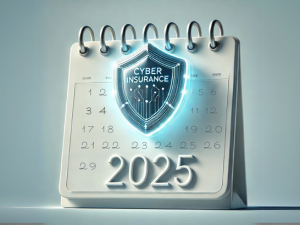
Cyber Insurance For Small Business: Why You Need It And How to Get Covered In 2025

Cyber Insurance For Small Business: Why You Need It And How to Get Covered In 2025


In 2024, cyberthreats are no longer just a big-business problem. In fact, large corporations with deep pockets are not the primary target for most cybercriminals. Less well-defended small and medium-sized businesses are increasingly at risk, with the average cost of a data breach now totaling over $4 million (IBM). For many smaller businesses, an incident like this could be devastating. This is where cyber insurance comes in. Not only does it help cover the financial fallout of a cyber-attack, but it’s also a safeguard to help your business recover quickly and keep moving forward in the event of an attack.

Let’s break down what cyber insurance is, whether you need it and what requirements you’ll need to meet to get a policy.

What Is Cyber Insurance?

Cyber insurance is a policy that helps cover the costs related to a cyber incident, such as a data breach or ransomware attack. For small businesses, this can be an essential safety net. If a breach happens, cyber insurance can help cover:

  • Notification Costs: Informing your customers about a data breach.
  • Data Recovery: Paying for IT support to recover lost or compromised data, such as restoring computer systems.
  • Legal Fees: Handling potential lawsuits or compliance fines if you’re sued because of an attack.
  • Business Interruption: Replacing lost income if your business shuts down temporarily.
  • Reputation Management: Assisting with PR and customer outreach after an attack.
  • Credit Monitoring Services: Assisting customers impacted by the breach.
  • Ransom Payments: Depending on your policy, cyber insurance will cover payouts in some cases of ransomware or cyber extortion.

These policies are typically divided into first-party and third-party coverage.

  • First-party coverage addresses losses to your company directly, such as system repair, recovery and incident response costs.
  • Third-party coverage covers claims made against your business by partners, customers or even vendors who are affected by the cyber incident.

Think of cyber insurance as your backup plan for when cyber risks turn into real-world problems.

Do You Really Need Cyber Insurance?

Is cyber insurance legally required? No. But, given the rising costs of cyber incidents, it’s becoming an essential safeguard for businesses of all sizes. Let’s look at a couple of specific risks small businesses face:

  • Phishing Scams: Phishing is a common attack targeting employees, tricking them into revealing passwords or other sensitive data. You would be shocked at how often we do phishing tests in organizations and multiple people fail. Your employees cannot keep your business safe if they don’t know how.
  • Ransomware: Hackers lock your files and demand a ransom to release them. For a small business, paying the ransom or dealing with the fallout can be financially devastating. Not to mention, in most cases, once the payment is received, the data is deleted anyway.
  • Regulatory Fines: If you handle customer data and don’t secure it properly, you could face fines or legal actions from regulators, especially in sectors like health care and finance.

While having strong cybersecurity practices is critical, cyber insurance acts as a financial safety net if those measures fall short.

The Requirements For Cyber Insurance

Now that you know why cyber insurance is a smart move, let’s talk about what’s required to qualify. Insurers want to make sure you’re taking cybersecurity seriously before they issue a policy, so they’ll likely ask about these key areas:

  1. Security Baseline Requirements
    • Insurers will check that you have basic security measures like firewalls, antivirus software and multifactor authentication (MFA) in place. These are foundational tools to reduce the likelihood of an attack and show that your business is actively working to protect its data. Without them, insurers may refuse coverage or deny claims.
  1. Employee Cybersecurity Training
    • Believe it or not, employee errors are a major cause of cyber incidents. Insurers know this and often require proof of cybersecurity training. Teaching employees how to recognize phishing e-mails, create strong passwords and follow best practices goes a long way toward minimizing risk.
  1. Incident Response And Data Recovery Plan
    • Insurers love to see that you have a plan for handling cyber incidents if they occur. An incident response plan includes steps for containing the breach, notifying customers and restoring operations quickly. This preparedness not only helps you recover faster but also signals to insurers that you’re serious about managing risks.
  1. Routine Security Audits
    • Regularly auditing your cybersecurity defenses and conducting vulnerability assessments help ensure your systems stay secure. Insurers may require that you perform these assessments at least annually to catch potential weaknesses before they become big problems.
  1. Identity Access Management (IAM) Tools
    • Insurers will want to know that you’re monitoring who is accessing your data. IAM tools provide real-time monitoring and role-based access controls to make sure that only select people have access to the data they specifically need when they need it. They’ll also check that you have strict authentication processes like MFA to enforce this.
  1. Documented Cybersecurity Policies
    • Insurers will want to see that you have formalized policies around data protection, password management and access control. These policies set clear guidelines for employees and create a culture of security within your business.

This is only the tip of the iceberg. They’ll also consider if you have data backups, enforce data classification and more.

Conclusion: Protect Your Business With Confidence

As a responsible business owner, the question to ask yourself isn’t if your business will face cyberthreats – it’s when. Cyber insurance is a critical tool that can help you protect your business financially when those threats become real. Whether you’re renewing an existing policy or applying for the first time, meeting these requirements will help you qualify for the right coverage.

If you have questions or want to make sure you’re fully prepared for cyber insurance, reach out to our team for a FREE Security Risk Assessment. We’ll evaluate your current cybersecurity setup, identify any gaps and help you get everything in place to protect your business. Click here or call our office at 216-800-7800 to book now.


6 Ways Your Phone Is Tracking You

6 Ways Your Phone Is Tracking You


Have you ever casually talked about a product or service while your phone was nearby and then suddenly started seeing ads for it on your social media feed? Your phone is listening. If that concerns you, this should really worry you: your devices are tracking you too! From the phone itself to the apps you download and access, there are multiple ways that your device can ping your location.

Luckily, there are ways around allowing your phone to spy on you. In today’s article we’ll share why it’s so dangerous, the top six ways your phone is tracking you and how you can shut it down.

Why Is It Dangerous?

This data is a hot commodity for Internet marketers. The collected data is used to target you with the local and interest-based ads you’re most likely to be interested in. This digital “stalking” is legal as long as they give you the option to opt in or out. However, marketing execs aren’t the only ones interested in your data. Cybercriminals are too. Here are the reasons allowing your phone to track you is a no-go:

1. Privacy Invasion: Phone tracking allows apps, websites and third parties to collect extensive information about your location, habits and behaviors without your full knowledge. This constant surveillance can lead to a significant invasion of privacy, making users vulnerable to targeted advertising, data harvesting or even malicious tracking for more harmful purposes.

2. Identity Theft And Fraud: If your phone’s tracking data falls into the wrong hands – such as hackers or cybercriminals – it can be used to gather personal details and patterns. This data can enable identity theft, financial fraud or unauthorized access to sensitive accounts, causing financial and emotional harm.

3. Physical Security Risks: By sharing your real-time location data, phone tracking can expose you to physical security threats. For example, stalkers or criminals can exploit this information to track your whereabouts, compromising your safety. Publicizing your movements can also make it easier for bad actors to predict your routines or target you when you’re most vulnerable.

How Your Phone Is Tracking You

1. Location Services: Your phone’s GPS and location services track your whereabouts in real time, recording where you are and how long you stay there. Using “Frequent Locations,” your phone makes assumptions about where you work and live based on when you visit and how long you stay. While this is helpful for finding directions or nearby restaurants, constant tracking can also reveal your movement patterns, leaving you vulnerable to privacy invasion.

Both Apple and Android give you the option to turn this feature off. Exact instructions will vary by specific model and operating system; however, here are basic instructions:

How to turn it off:

  • iPhone: Go to Settings > Privacy & Security > Location Services. Toggle off Location Services or manage individual app permissions. Scroll down to System Services. Select Significant Locations to see the logged record of where you’ve been and toggle it off. You can also clear your history by clicking Clear History.
  • Android: Go to Settings > Location > App Permissions, and either disable location tracking for specific apps or turn off Use Location To delete your device’s location history, tap Delete Location History at the bottom of the screen under Location History.

2. App Permissions: Many apps request access to your contacts, photos, microphone and camera, allowing them to track your activity, even when you’re not actively using the app, and collect more information than necessary. You can adjust this and should review it regularly to make sure you aren’t compromising your privacy.

How to turn it off:

  • iPhone: Go to Settings > Privacy & Security. From there, check categories like CameraMicrophone and Contacts to review and adjust app permissions.
  • Android: Go to Settings > Apps Permissions. Here you can manage which apps have access to sensitive data like contacts, microphone and camera.

3. Wi-Fi And Bluetooth Connections: Your phone constantly scans for Wi-Fi and Bluetooth connections, allowing third parties to track your location based on the networks and devices you’ve interacted with.

How to turn it off:

  • iPhone: Swipe down from the top-right corner of the screen and toggle off Wi-Fi and Bluetooth. For full control, go to Settings > Wi-Fi & Bluetooth to disable scanning.
  • Android: Go to Settings > Location > Wi-Fi & Bluetooth Disable these options to prevent your phone from constantly searching for networks and devices.

4. Browsing Activity: Web browsers and apps monitor your search history and the websites you visit. This data is used to build profiles about your preferences, feeding you targeted ads and potentially selling your behavior patterns to third parties.

How to turn it off:

  • iPhone & Android: Use your browser’s private or incognito mode for safer browsing. In Google Chrome, go to Settings > Privacy & Security and turn off Web & App Activity. Additionally, clear your browsing history and cookies regularly.

5. Ad Tracking: Your phone assigns you a unique advertising ID that companies use to track your behavior across apps and websites. This ID follows your activity, providing advertisers with insight into your interests to serve personalized ads.

How to turn it off:

  • iPhone: Go to Settings > Privacy & Security > Tracking and toggle off Allow Apps to Request to Track. You can also go to Settings > Privacy & Security > Apple Advertising to disable personalized ads. *This does not mean you won’t still see ads; you just won’t see personalized ads.
  • Android: Go to Settings > Privacy > Ads, then toggle on opt out of Ads Personalization.

6. Social Media And Search Engines: Platforms like Facebook, Instagram and Google track your online interactions, searches and location to create detailed profiles of your habits and interests. They use this data for advertising and content recommendations, which can feel invasive.

How to turn it off:

  • Social Media: Go to each platform’s settings (e.g., Facebook > Settings & Privacy > Privacy Shortcuts) to review what data is being collected and manage ad preferences.
  • Google: Go to Google Account > Data & Privacy > Web & App Activity to control how Google tracks your search and activity history. You can also adjust Ad Settings to limit ad tracking.

By adjusting these settings, you can significantly reduce the amount of personal information your phone tracks, giving you more control over your privacy.

Why This Matters For Business Owners:

For a business owner, protecting your personal privacy is just as crucial as securing your company’s sensitive information. The same tracking methods that follow your every move can also expose your business to risks. Hackers, cybercriminals and even competitors can exploit these vulnerabilities to gather valuable data about your business activities, customer interactions and confidential communications.

By taking steps to limit how your phone tracks you and adjusting your privacy settings, you’re not just protecting yourself – you’re also safeguarding your business from potential data breaches, identity theft and targeted cyber-attacks. In today’s world, cybersecurity isn’t just a technical issue, it’s a strategic one, and staying ahead of threats starts with being informed and proactive.

If you’re concerned about your business’s overall security, don’t wait for a problem to occur. Schedule a FREE Security Risk Assessment with our team today, and let’s ensure your entire network is protected from top to bottom. Our experts will identify vulnerabilities and recommend tailored solutions to keep your business safe. Click here or call us at 216-800-7800 to get started.


5 Options If Your Windows 10 PC FAILS The Windows 11 Compatibility Test

5 Options If Your Windows 10 PC FAILS The Windows 11 Compatibility Test


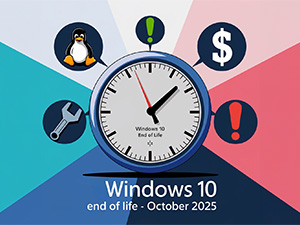
As you likely heard, Windows 10 will reach its end of life on October 14, 2025. This means Microsoft will no longer offer free security updates, non-security updates and technical support on this version. That does not mean the PCs will no longer work; it simply means you are on your own to keep your device secure and functioning efficiently.

If you’ve already attempted to upgrade to Windows 11 but your PC failed the pesky compatibility checker and received an error message, don’t worry – you still have options.

Here are the 5 options available to you:

  1. Ignore the deadline – We do not recommend this one, but it is still an option. When Windows 10 support ends, you will no longer have ongoing security updates to shield your business from cyber-risks and viruses. You will have to find another solution to protect your device, which may not be as comprehensive as it should be. Security aside, technical support and non-security updates that keep your computer running efficiently will also end, which could further hinder operations.
  1. Switch from the Windows operating system to Linux – If you aren’t ready to ditch your PC quite yet and are a techie with the experience and knowledge to do it, you can remove Windows 10 and install the Linux operating system.

Moving everything over to a new operating system will bring its own set of headaches, so make sure you only take this option if you’re willing to deal with any issues that arise.

  1. Try to upgrade “incompatible” PCs using a technical loophole – If you attempted to upgrade your PC but received an error message, you might still be able to upgrade it anyway.

ZDNET walks you through the process, but, in a nutshell, you can upgrade your PC that was initially designed for Windows 10 by making a minor registry edit and then making sure your PC is configured to use Secure Boot with the Trusted Platform Module (TPM).

They go on to suggest that you shouldn’t worry if you receive a message saying, “If you proceed with installing Windows 11, your PC will no longer be supported and won’t be entitled to receive updates. Damages to your PC due to lack of compatibility aren’t covered under the manufacturer warranty.” This doesn’t mean your information will be deleted on the spot; it simply prevents the company from being legally responsible if something happens because the device is no longer supported.

  1. Pay for Microsoft’s Windows 10 security updates – While Microsoft will no longer offer free security updates, they announced in December 2023 that they’ll offer Extended Security Updates (ESUs) for Windows 10. These will consist of subscription-based updates that will be available for users for up to three years. Before you sign up, there are a few details to consider:

If you choose this option, know that it’s not inexpensive. For business owners, the subscription cost for the first year is $61. The price doubles in year two, costing $122, and again in year three, costing $244. This comes out to an astounding $427, nearly 50% higher than when they offered this solution for Windows 7 in 2020.

Educators, fortunately, get a price break. The pricing structure is the same, but the cost for the first year is only $1. It doubles to $2 in the second year and doubles again to $4 in the third year.

It’s important to note that these updates are cumulative and do not include technical support. This means you can only get a year-two subscription IF you already purchased year one, and you’re on your own for the technical assistance you need.

It is clear the ESUs are not meant to be a long-term solution and are priced to encourage users to upgrade to Windows 11.

  1. Purchase a new PC – If your device is old and on the verge of being outdated, buying a new PC compatible with Windows 11 is a great option. New computers typically run faster, have better security protection and aid productivity.

Before making a decision, make sure you back up your data thoroughly and regularly. Losing all your information is not a problem you want to take on.

Do not wait until the last minute to start thinking about your options. Time will pass quickly, and you want to have this handled before October 2025. If choosing what to do feels daunting, our team of experts can help. We can guide you in making the best decision for your unique situation. If you choose to upgrade, our team will work to create a seamless transition that avoids unnecessary costs or downtime. To get started, give us a call at 216-800-7800 or click here to book now.


Avoid A Holiday Tech Meltdown With Better IT

Avoid A Holiday Tech Meltdown With Better IT

Ah, the holiday season – when everything gets festive, sales go up and your to-do list grows longer than your wish list. For businesses, this time of year can be make-or-break, but while you’re decking the halls, your IT infrastructure might be decking you with unwanted downtime and cyberthreats. The last thing you need during the holiday rush is a tech meltdown. So, how can you make sure your business technology keeps up with the festive pace? Proactive IT support is the answer.

Why The Holiday Season Puts Your IT Systems To The Test

During the holidays, your business faces unique pressures that can turn minor IT problems into major crises. Here are some common issues you might encounter:

  • Increased System Load: With more customers shopping, visiting your website or using your online services, your IT systems face more strain than usual. Without proper optimization, this can lead to frustrating slowdowns or, worse, full-blown outages. And as we all know, downtime during peak season is a surefire way to lose revenue.
  • Cybersecurity Threats: Cybercriminals know that businesses are distracted by the holiday hustle and bustle. They take advantage by launching phishing attacks, ransomware and other exploits during this time. A single data breach could cost you not just money but your reputation too.
  • Outdated Systems: Many businesses put off IT updates until it’s too late. While you might get away with it during quieter months, outdated tech during the holiday rush is a recipe for disaster. Slow performance or unexpected failures can grind your operations to a halt.

The Case For Proactive IT Support

Rather than playing catch-up when things go wrong, reliable and proactive IT support helps you avoid these problems before they happen. Here’s how it works:

  1. 24/7 Monitoring: Proactive IT services monitor your systems around the clock, identifying and resolving issues before they can disrupt your business. Imagine catching a potential server overload before it crashes during Black Friday – priceless, right?
  2. Scheduled Maintenance: With proactive IT support, your systems are regularly updated, patched and maintained. This ensures your technology is always in tip-top shape, so you’re not scrambling to fix things when you should be focusing on sales.
  3. Load Testing And Optimization: Before the holiday rush, your IT provider can perform load testing to see how your systems handle increased traffic. They can then optimize performance to make sure your network doesn’t crumble under pressure.
  4. Cybersecurity Defense: Proactive support means staying ahead of hackers. From implementing multifactor authentication to setting up firewalls and monitoring for suspicious activity, an IT provider helps ensure your business isn’t a sitting duck for cyber-attacks.

The Financial Upside Of Proactive IT

The benefits IT services provide are ones that pay for themselves in the long run. Here’s why:

  • Reduced Downtime Costs: Downtime during the holiday season could cost your business thousands of dollars per minute in lost revenue. By staying ahead of IT problems, you minimize downtime and keep the cash flowing.
  • Increased Productivity: Your employees will thank you when they don’t have to spend their time troubleshooting tech issues. With fewer disruptions, they can focus on doing their jobs, which boosts overall productivity.
  • Lower Long-Term Costs: Emergency fixes, lost data and hardware failures are expensive to deal with on the fly. By investing in regular maintenance and monitoring, you avoid costly surprises down the road.

Are You Ready For A Tech Refresh?

So, how do you get started with better, more reliable IT support? It’s time to partner with a trusted IT team. We’ll audit your IT infrastructure to determine what is outdated or slowing you down and where you’re at risk. Once we complete the audit, we’ll help you optimize your systems and keep things running smoothly all year long.

And the best part? You don’t have to do this alone. We’re offering a FREE Network Assessment to help you identify vulnerabilities in your current setup. Our experts will evaluate your entire network and recommend solutions that will keep your business humming through the holidays and beyond.

Get Your FREE Network Assessment Today!

Don’t wait until a tech meltdown ruins your holiday season. Get proactive with your IT support now! Click here to schedule your FREE Network Assessment today, and let’s ensure your business stays on top of its game when it matters most.

The Top 5 Data Breaches Of 2024 And What You Need To Know About Them

The Top 5 Data Breaches Of 2024 And What You Need To Know About Them


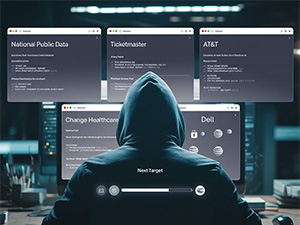
This year has been a busy one for cybercriminals, with some massive data breaches making headlines and costing companies millions. From health care giants to project management platforms, no industry is immune to the risks. But what do these breaches mean for small to midsize businesses? The same vulnerabilities exist for you, and the consequences of not addressing them can be catastrophic.

Let’s recap five of the most significant breaches of 2024 so far and discuss how your business can stay protected.

1. National Public Data

A couple of months ago, a hacking group claimed to have stolen 2.7 billion personal records from a background checking and public data-brokering site. The data includes sensitive information like Social Security numbers, addresses and more. Portions of the data have been released on the dark web, though experts are still evaluating its accuracy, as the combined populations of the countries listed amount to only about half a billion. However, it’s likely that many Social Security numbers have been compromised.

Since this breach affects so many people, everyone now has an incentive to monitor their financial and online identities closely, and it’s imperative that they do so immediately. A practical step is freezing your credit to protect against identity theft and unfreezing it when needed for activities like applying for loans or credit cards. Find out if you were exposed here!

2. Ticketmaster

A significant data breach at Ticketmaster exposed the personal and financial information of over 560 million customers. Hackers accessed the company’s database during April and May, stealing sensitive details such as names, e-mails, phone numbers and payment information. This breach exposed serious flaws in Ticketmaster’s security, raising concerns among consumers. Many victims reported unauthorized transactions and identity theft following the incident. Additionally, this breach added to the legal troubles of Ticketmaster’s parent company, Live Nation, which was already facing a lawsuit from the US Department of Justice for anticompetitive practices.

3. Change Healthcare

In February 2024, Change Healthcare was hit by a massive ransomware attack that exposed the personal information of over 145 million people. This breach, one of the largest in health care history, compromised sensitive data, including names, addresses, Social Security numbers and medical records. The incident had far-reaching effects on patients, health care providers and insurance companies, prompting many in the health care industry to reconsider their cybersecurity strategies to prevent similar attacks in the future.

4. AT&T

In March, AT&T was the victim of a data breach that compromised the personal information of approximately 73 million current and former customers. This giant breach included sensitive data such as Social Security numbers, account details and passcodes. The breach was linked to data from as far back as 2019, which surfaced on the dark web in March 2024. This incident is part of a series of attacks on AT&T, following a 2023 breach that impacted 9 million users. In response, AT&T launched an investigation to contain the malware while maintaining services for current customers. The breach has also opened the company up to the possibility of multiple class action lawsuits.

While you may not manage millions of customers like AT&T, your business can still fall victim to cyber-attacks. It’s crucial to protect your network by implementing robust security measures, training employees on password and phishing prevention, and maintaining an active cybersecurity strategy.

5. Dell

In May, Dell experienced a security breach when a hacker known as Menelik used a brute-force attack to infiltrate one of their resellers’ client portals. This breach exposed 49 million records containing sensitive data, including customer names, e-mail addresses, payment information and account details. The incident sparked significant concerns about Dell’s cybersecurity practices, leading the company to issue a public apology and pledge to enhance its security protocols. In response to the breach, Dell has faced increased regulatory scrutiny and may encounter legal challenges as more details about the impact emerge.

What Does This Mean For You Personally?

We have several blogs on what to do if you’re affected by a data breach, but the most important action is to freeze your credit and check your bank account. Websites like www.haveIbeenpwnd.com can tell you if your e-mail has been exposed in a breach.

What Does This Mean For Your Business?

While these breaches happened to major players, small to midsize businesses are far from off the radar. In fact, SMBs are increasingly targeted because they often lack the robust security measures that larger companies have. Cybercriminals know this, and the stakes couldn’t be higher: a single breach could cost your business thousands in downtime, lost data and damaged reputation.

Protect Your Business With A FREE Security Risk Assessment

If these stories have you thinking about your own vulnerabilities, that’s a good thing. The best defense is a proactive one. We’re offering a FREE Security Risk Assessment to evaluate your network for potential risks. Our experts will assess your system’s vulnerabilities, help you patch the holes and ensure your business is fortified against attacks.

Don’t wait until you’re the next headline – get your FREE Security Risk Assessment today! go.scheduleyou.in/wdnrAuv?cid=is:~Contact.Id~ to schedule or call our office at 216-800-7800


The S.E.C.U.R.E. Method To Stop Phishing E-mails

The S.E.C.U.R.E. Method To Stop Phishing E-mails

Phishing attacks are the most common cybercrime attack for one reason…they work. Every day, over 3.4 billion spam e-mails reach unsuspecting users’ inboxes. Phishing e-mails have held the top spot as the most frequent form of attack for years because they’re easy to implement, easy to scale and continue to fool people. AI tools like ChatGPT are now making it even easier for cybercriminals to create e-mails that look and sound like they’re coming from humans instead of bots and scammers. If you’re not careful, the effects of phishing scams can be detrimental.

Since it’s Cybersecurity Awareness Month and phishing e-mails are one of the top causes of attacks, we created this simple guide to help you and your team successfully identify phishing e-mails and understand why it’s so important to do so.

What can happen? Here are 4 significant dangers associated with phishing attacks:

1. Data Breaches

Phishing attacks can expose your organization’s sensitive information to cybercriminals. Once your data is exposed, hackers can sell it on the dark web or hold it for ransom, demanding thousands, millions or even more for its return – and they likely won’t return it anyway. This can result in financial and legal repercussions, damage to your reputation and loss of customer trust.

2. Financial Loss

Cybercriminals often use phishing e-mails to steal money directly from businesses. Whether it’s through fraudulent invoices or unauthorized transactions, falling victim to phishing can have a direct impact on your bottom line.

3. Malware Infections

Phishing e-mails can contain malicious attachments or links that, when clicked, can infect your systems with malware. This can disrupt your operations, lead to data loss and require costly remediation efforts.

4. Compromised Accounts

When employees fall for phishing scams, their accounts can be compromised. Attackers can then use these accounts to launch further attacks or gain unauthorized access to sensitive company data.

And the list goes on. However, there are actions you can take to prevent becoming the next victim of a phishing attack.

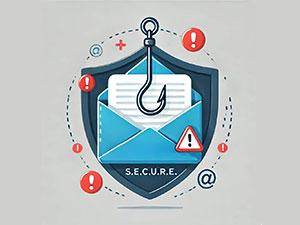
Here is the S.E.C.U.R.E. Method you and your employees can use to help identify phishing e-mails

S – Start With The Subject Line: Is it odd? (e.g., “FWD: FWD: FWD: review immediately”)

E – Examine The E-mail Address: Do you recognize the person? Is the e-mail address unusual? (e.g., spelled differently) or unknown (not the one they usually send from)?

C – Consider The Greeting: Is the salutation unusual or generic? (e.g., “Hello Ma’am!”)

U – Unpack The Message: Is there extreme urgency to get you to click a link or download an attachment or act on a too-good-to-be-true offer?

R – Review For Errors: Are there grammatical mistakes or odd misspellings?

E – Evaluate Links And Attachments: Hover over links before you click them to check the address, and do not open attachments from anyone you don’t know or weren’t expecting to receive mail from.

It’s also important to have a cybersecurity expert monitor your network and eliminate e-mail spam before your employees can make a mistake. Make sure you’re taking proper precautions to protect your network. These phishing attacks work and happen all the time. We don’t want YOU to be the next victim.

If you need help training your team on cybersecurity best practices or implementing a robust cybersecurity system, or just want a second set of eyes to examine what you currently have in place and assess if there are any vulnerabilities, we are ready to help. Call us at 216.800.7800 or click here to book a call with our team.

The End Is Almost Here! Windows 10 Will No Longer Be Supported As Of October 2025

The End Is Almost Here! Windows 10 Will No Longer Be Supported As Of October 2025


Important News: Microsoft will NO LONGER support Windows 10 after October 2025! While these PCs will still work after the official end date of October 14, 2025, Microsoft will no longer provide product key free services that keep your device working properly and securely. These services include:

  • Security updates
  • Non-security updates
  • Technical support

Why Is This Important For Business Owners?

  1. Security Risks: Without regular updates, your computer will become more vulnerable to viruses, malware and hackers. This could put your business data at risk, which is why upgrading to a newer version of Windows is crucial.
  2. Software Compatibility: Many software programs are updated regularly to work with the latest operating systems. After Windows 10 reaches its end of life, some of your favorite programs might not work as smoothly or could stop working altogether.
  3. Compliance Issues: If your business deals with sensitive information or follows strict regulations, using an outdated operating system could lead to compliance issues. It’s important to stay current to avoid potential fines or legal problems.

What Are Your Options?

Microsoft encourages users to migrate to the latest version before the end-of-life date. This can present challenges for some PC owners, as not all devices currently running Windows 10 are compatible with Windows 11. If you try to upgrade one of those PCs to Windows 11, but the device does not meet the stringent hardware requirements of the new software, you’ll encounter an error message.

If your device isn’t compatible with Windows 11, you have a few options. You can:

  • Buy a new PC that is compatible
  • Pay for Microsoft’s Windows 10 security updates (available for up to three years but no longer free!)
  • Switch from the Windows operating system to Linux
  • Try to upgrade “incompatible” PCs, using a technical loophole
  • Ignore the deadline and put your business at risk (we do NOT recommend this one!)

Whatever you decide, make sure to back up your data! Before making any changes, always back up your important files. This ensures that nothing gets lost during the upgrade process.

Planning Ahead

It’s important to be proactive about the transition. There has been some discussion that Microsoft will extend the deadline, but that’s not a strategy you want to bet your business on. You don’t want to wait to take action until you’re out of options and your business is at risk because you no longer have security protection.

The best step is to work with your IT provider to determine what option makes sense for your organization. If your computers are fairly new, paying for ongoing security updates might make sense. If your devices are older and nearing the end of their life anyway, new PCs could be the way to go. An experienced IT team or a tech consultant can help you with the upgrade process. They can make sure everything runs smoothly and minimize any downtime for your business.

If you’re looking for someone to guide you in making the right decision, get in touch with our team to schedule a FREE 10-Minute Discovery Call. During this quick conversation, we’ll be able to map out the next steps to take to start transitioning to Windows 11 efficiently. To schedule, call us at 216.800.7800 or click here.